Grants.gov API: How to Search Federal Grants as JSON
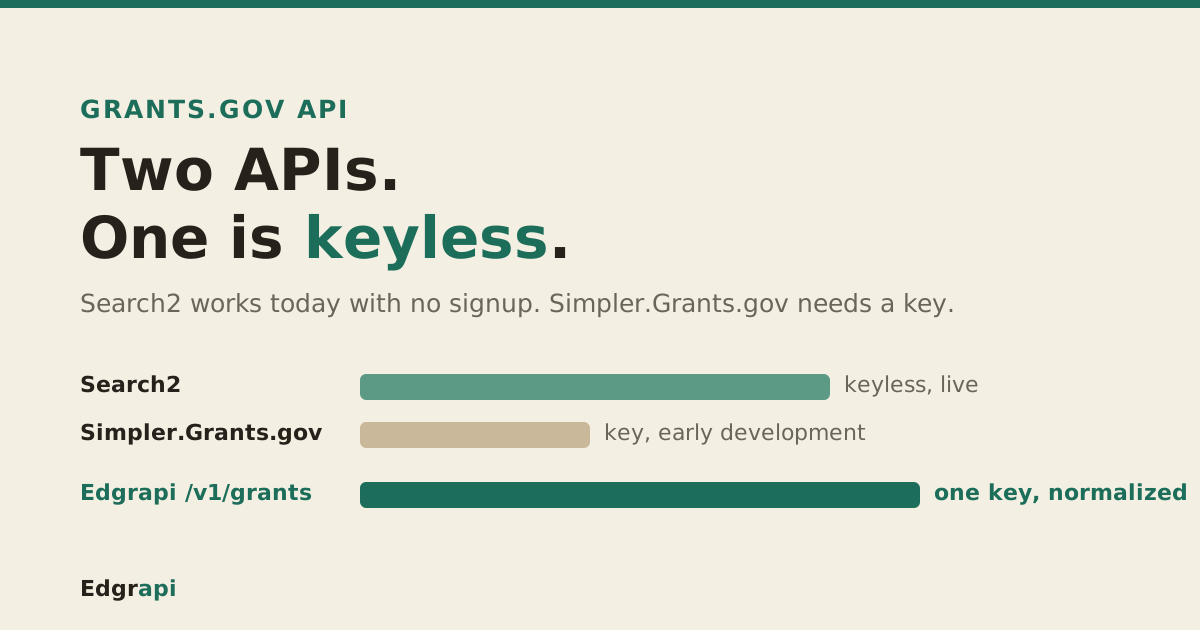
There are two Grants.gov APIs, and most developers only find one of them.
The Grants.gov API lets you search every federal grant opportunity as JSON. The workhorse is the Search2 endpoint: a POST to https://api.grants.gov/v1/api/search2 that needs no API key at all. A newer, key-based API at Simpler.Grants.gov is arriving alongside it. This guide shows how to search grants with Search2, when the new API matters, and how to skip the setup entirely.
Search2 endpoint (a POST to api.grants.gov/v1/api/search2) works today with no signup; the newer Simpler.Grants.gov API needs a key and is still early development. Start with Search2, watch your errorcode before trusting results, and reach for a normalized GET wrapper if you would rather skip the POST-body plumbing.What is the Grants.gov API?
The Grants.gov API is a set of endpoints for searching and retrieving federal grant opportunities as JSON. There are really two of them. The long-standing Search2 API is a keyless POST search endpoint that works today, and the newer Simpler.Grants.gov API is a modern key-based gateway that HHS is still actively building. Most tools run on Search2 because it needs no signup.
Here's the split at a glance.
| Search2 API (legacy) | Simpler.Grants.gov API (new) | |
|---|---|---|
| Base URL | api.grants.gov/v1/api/search2 | api.simpler.grants.gov |
| API key | None required | Required (X-API-Key) |
| Status | Stable, in production | Early development, changing |
| Best for | Search now, no signup | Future-facing integrations |
The rest of this guide leads with Search2, because it's the one you can call in the next five minutes.
Do I need an API key for the Grants.gov API?
For the Search2 API, no. Grants.gov states plainly that "authentication and authorization is not required for search2," so you can POST a search and get results back without any signup, key, or token. The newer Simpler.Grants.gov API is the exception: it does require a key, sent as an X-API-Key header, which you generate from its developer dashboard.
So the answer depends on which API you mean.
Want to search grants right now with zero setup? Use Search2. It's the keyless one.
Building a long-term integration and willing to manage a key? The Simpler.Grants.gov API is where Grants.gov is heading, though it's still labeled early development and subject to change.
For most people writing a grant-search feature this week, keyless Search2 is the right call.
How do I search grants with the Search2 API?
You search by sending a JSON POST to https://api.grants.gov/v1/api/search2 with your query in the body. There's no key and no query string to build. The smallest useful request is a single keyword, and the API returns a count plus an array of matching opportunities. According to Grants.gov's Search2 documentation, the body fields are plain JSON keys, not URL parameters.
Here's a working request.
curl -X POST "https://api.grants.gov/v1/api/search2" \
  -H "Content-Type: application/json" \
  -d '{"keyword": "community health", "rows": 10}'
The response is a JSON object. The grants live under data.oppHits, the total match count under data.hitCount, and a status message under msg.
{
  "errorcode": 0,
  "msg": "Webservice Succeeds",
  "data": {
    "hitCount": 214,
    "oppHits": [
      { "id": "358001", "number": "HHS-2026-1", "title": "Community Health Program",
        "agencyName": "HHS", "openDate": "09/01/2026", "closeDate": "12/01/2026",
        "oppStatus": "posted", "alnist": ["93.217"] }
    ]
  }
}
That's the whole loop: post a keyword, read oppHits. Everything else is narrowing the results.
How do I search Grants.gov with Python?
In Python, the Search2 call is a single requests.post with a JSON body, no key and no auth header. Post your query to api.grants.gov/v1/api/search2, then read data["data"]["oppHits"] for the grants and data["data"]["hitCount"] for the total. Because it's plain JSON in and JSON out, the whole search fits in about ten lines.
Here's a complete example.
import requests

resp = requests.post(
    "https://api.grants.gov/v1/api/search2",
    json={"keyword": "community health", "oppStatuses": "posted|forecasted", "rows": 25},
    timeout=30,
)
body = resp.json()
if body.get("errorcode") == 0:
    for opp in body["data"]["oppHits"]:
        print(opp["title"], opp["closeDate"], opp.get("alnist"))
Notice the errorcode check before the loop. Search2 signals failure inside the JSON, not with an HTTP status, so reading it is how you tell a real result from a rejected query.
For a scheduled job, wrap the post in a retry and set a real timeout. The endpoint is public and usually quick, but a government service can still stall, and you don't want a grant sync hanging on one slow call.
How do I filter grants by status, agency, and CFDA?
You filter by adding more keys to the same JSON body. The useful ones are oppStatuses (a pipe-delimited list), agencies, fundingCategories, eligibilities, and aln for an Assistance Listing Number. Stack them alongside your keyword and Search2 returns only matching opportunities. One gotcha: the aln field is the old CFDA number under a new name.
Here's a filtered search.
curl -X POST "https://api.grants.gov/v1/api/search2" \
  -H "Content-Type: application/json" \
  -d '{"keyword": "research", "oppStatuses": "posted|forecasted", "aln": "93.310"}'
The status values matter most. oppStatuses accepts forecasted, posted, closed, and archived, piped together. If you want only grants you can still apply for, use posted|forecasted.
And about that CFDA number. Grants.gov renamed the Catalog of Federal Domestic Assistance (CFDA) number to the Assistance Listing Number (ALN). Same identifier, new label, so 93.217 is 93.217 either way. The field is aln on the request and alnist on each result.
Two more filters narrow big result sets. fundingCategories takes category codes such as HL for health or ED for education, and eligibilities takes applicant-type codes, so you can ask only for grants a nonprofit or a small business can actually apply to. Both are pipe-delimited, like oppStatuses, and both are optional.
If you're unsure which code you need, run a broad keyword search first and read the agencyCode and alnist values on the results. Those are the exact strings to feed back into a filtered request.
How do I page through Grants.gov results?
You page with the rows and startRecordNum fields in the body, and read data.hitCount to know how many results exist. Ask for rows: 25 and startRecordNum: 0 for the first page, then startRecordNum: 25 for the next, and so on until you've walked the full hitCount. There's no cursor to track, just an offset you increment.
Here's the second page of 25.
curl -X POST "https://api.grants.gov/v1/api/search2" \
  -H "Content-Type: application/json" \
  -d '{"keyword": "education", "rows": 25, "startRecordNum": 25}'
hitCount is the number to plan around. If it comes back as 400 and you're pulling 25 at a time, that's 16 requests to read them all.
For a nightly sync, don't re-scan everything. Narrow by oppStatuses and a recent window, and store the opportunity id so you skip ones you've already seen.
Why does Search2 return an errorcode on a 200?
Because Search2 puts success or failure inside the JSON, not in the HTTP status. A bad query still comes back as HTTP 200 with a non-zero errorcode and a note in msg, so checking only the status code makes a failed search look like a success with zero results. Read errorcode before you trust oppHits.
This is the bug people hit first.
Send a malformed body or an invalid status value, and you get a 200 with errorcode set and an empty or missing oppHits. Code that only watches for a 4xx treats it as "no grants found" and moves on.
So the rule is simple. A real success is errorcode: 0 with msg reading "Webservice Succeeds." Anything else is an error wearing a 200, and you should surface the msg instead of showing an empty list.
An empty oppHits with errorcode: 0 is different, and legitimate. It just means your filters matched nothing, so widen the keyword or drop a status filter and try again.
What's the difference between Search2 and the Simpler.Grants.gov API?
Search2 is the stable, keyless API that works today; Simpler.Grants.gov is a newer, key-based gateway that HHS is actively rebuilding. The Simpler.Grants.gov API adds a managed X-API-Key, per-key rate limits, keys that expire after 30 days of no use, and a bulk extracts endpoint. It's the future direction, but its docs still say early development.
The specifics are worth knowing. Its published limits are 60 requests a minute and 10,000 a day per key, and the whole project is open source on GitHub, so you can watch the roadmap and release notes directly instead of guessing.
So which do you build on?
Search2 wins for shipping now. No signup, no key rotation, no "subject to change" warning on the docs.
Simpler.Grants.gov wins for the long haul, if you want the modernized schema and the bulk extracts endpoint for a full nightly download, and you don't mind that the API is still moving.
A safe pattern many teams use: build on Search2 today, and watch the Simpler.Grants.gov release notes before betting a production integration on it.
What comes back in a Grants.gov result?
Each opportunity in oppHits carries the fields you'd expect on a grant: an id and opportunity number, the title, the agencyName and agencyCode, openDate and closeDate in MM/DD/YYYY, the oppStatus, and alnist, the array of Assistance Listing (CFDA) numbers. That's enough to list, filter, and link a grant, but not the full narrative.
The dates are worth a note. They come back as MM/DD/YYYY strings, not ISO, so you'll parse them before sorting or comparing.
The closeDate is the one that matters to a grant seeker. It's the application deadline, and a forecasted grant may not have one yet.
A couple of fields help you group results. agencyCode is the machine-readable agency identifier, handy for filtering client-side once you've pulled a page, and docType marks whether the record is a forecast or a posted synopsis. Neither shows up in a normal search UI, but both are useful when you're organizing grants in your own database.
What you don't get in the search response is the full opportunity description or the attached documents. Search2 gives you the searchable index; the deep detail lives on the grant's Grants.gov page, linked by its id.
How do I get a grant's full details?
Search2 returns the searchable index, not the complete grant. To read the full synopsis, eligibility text, award ceiling, and attachments, you fetch the single opportunity by its id (Grants.gov exposes a fetchOpportunity call for exactly this), or open the grant's page on Grants.gov, which every result links to by id.
Think of it as two steps.
Search2 is the list view: fast, filterable, and enough to show a table of grants with titles, agencies, and deadlines. That's usually what a search feature needs.
The detail fetch is the drill-down. When a user clicks one grant, you pull its full record. Doing that for every row in a search would be wasteful, so fetch detail only on demand.
For most grant-search tools, the Search2 index is the whole product, and the detail fetch is a click away.
How do I get Grants.gov as clean, normalized JSON?
You skip the POST-body query language and the two-API decision entirely by using a normalized wrapper. Edgrapi's /v1/grants endpoint reads the same keyless Grants.gov Search2 data and returns it as flat JSON on a single key, with dates already parsed to ISO and one consistent field schema. It's a plain GET, not a POST with a nested body.
Here's the same search through Edgrapi.
curl "https://api.edgrapi.com/v1/grants?keyword=community+health&status=posted&limit=10" \
  -H "Authorization: Bearer YOUR_EDGRAPI_KEY"
You get back each grant with title, agency, status, a parsed close_date, the Assistance Listing (CFDA) numbers where present, and the grants.gov link. There's a matching MCP tool, get_grants, so an AI agent can call it directly, and empty result sets don't cost a credit.
Be clear about the trade. Edgrapi is a paid, credit-metered API, not a free government endpoint, and the underlying data is the same public-domain Grants.gov feed at the same freshness. What you pay for is one key across grants, contracts, spending and SEC data, one schema, and not writing the POST-body plumbing yourself.
Start with the keyless one
If you need federal grants in your app this week, call Search2. It's a keyless POST to api.grants.gov/v1/api/search2, and you can have results parsing in an afternoon.
Watch the Simpler.Grants.gov API for where Grants.gov is going, but don't bet a production integration on an API that still says "subject to change." And if you'd rather not write the POST-body plumbing or juggle two APIs, a normalized GET wrapper hands you the same grants as clean JSON on one key. Either way, start with the data you can reach today.
Frequently asked questions
Does the Grants.gov API require an API key?
The Search2 API does not. Grants.gov states that authentication is not required for search2, so you can POST a search to api.grants.gov/v1/api/search2 with no key, signup, or token. The newer Simpler.Grants.gov API is the exception: it requires an API key sent as an X-API-Key header, generated from its developer dashboard.
What is the Grants.gov Search2 API?
Search2 is Grants.gov's keyless search endpoint. You send a JSON POST to api.grants.gov/v1/api/search2 with fields like keyword, oppStatuses, and aln, and it returns a hitCount plus an oppHits array of matching grant opportunities. It's the API most tools use today because it needs no authentication and works in a single request.
What's the difference between Search2 and the Simpler.Grants.gov API?
Search2 is the stable, keyless legacy API that works now. Simpler.Grants.gov is a newer, key-based API (X-API-Key) that HHS is actively developing, with rate limits of 60 requests a minute and 10,000 a day and a bulk extracts endpoint. Search2 is best for shipping today; Simpler.Grants.gov is the future direction but is still labeled early development.
How do I search Grants.gov by CFDA or ALN number?
Add an aln field to your Search2 POST body, for example {"aln": "93.217"}. The Assistance Listing Number (ALN) is the renamed CFDA number, so the same code like 93.217 works either way. On each result, the numbers come back in the alnist array. You can combine aln with a keyword and status filters in one request.
What grant statuses can I filter by?
The oppStatuses field accepts four values, piped together: forecasted, posted, closed, and archived. To see only grants you can still apply for, use posted|forecasted. Posted means open now; forecasted means announced but not yet open; closed and archived are past their deadline. Omit the field and you get the default mix.
How do I get Grants.gov data as clean, normalized JSON?
Either parse the Search2 response yourself, or use a normalized wrapper. Edgrapi's /v1/grants reads the same keyless Search2 data and returns flat JSON on one key, with dates parsed to ISO and a consistent schema, over a plain GET instead of a POST body. It's credit-metered rather than free, and covers grants alongside contracts, spending and SEC data on the same key.