SAM.gov API Rate Limits: Why 10/Day, and How to Fix It
Your SAM.gov API key works on the first call and dies on the eleventh. That's not a bug.
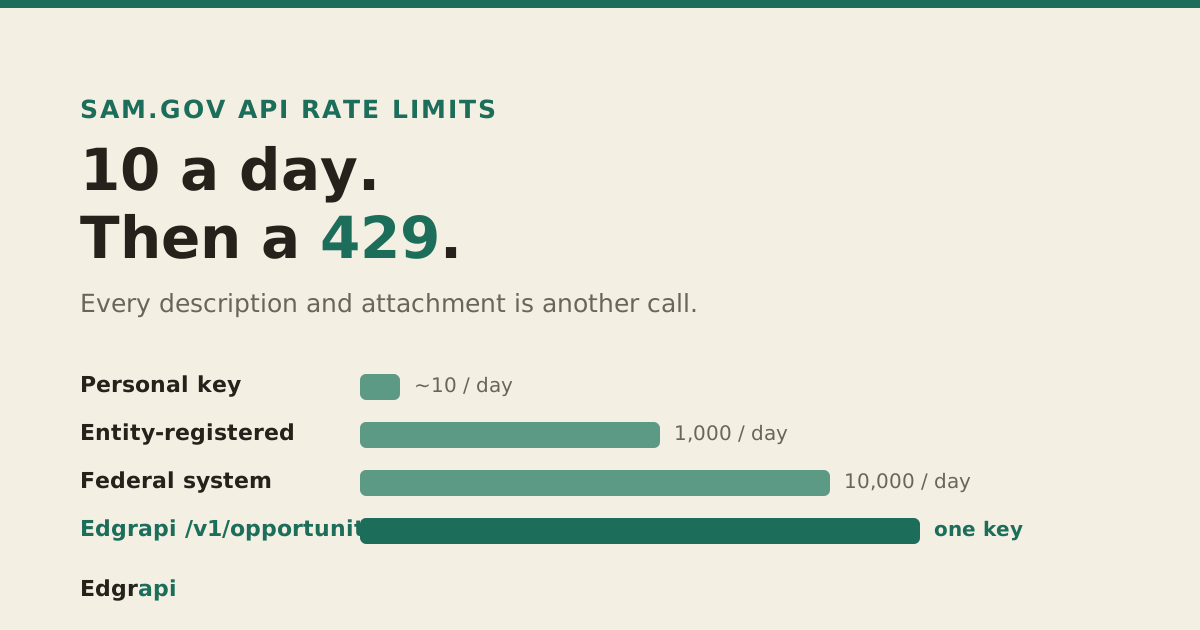
The SAM.gov API rate limit is a daily cap tied to your account role: about 10 requests a day for a personal (non-federal) key, 1,000 for an entity-registered key, and 10,000 for a federal system account. Cross the line and you get a 429 Too Many Requests until the next day. The catch most developers miss is how fast a real integration burns those calls. This guide explains why, and how to get past it.
/v1/opportunities.What is the SAM.gov API rate limit?
The SAM.gov API rate limit is a per-day request cap set by your account role, not a per-second throttle. A non-federal personal key gets roughly 10 requests per day. Registering an entity or holding a federal account lifts you to 1,000. Federal system accounts on a .gov or .mil address get 10,000. Everyone starts on the bottom tier.
GSA's own documentation puts it plainly: requests per day are "limited based on the federal or non-federal or general roles." Here's the full picture.
| Account type | Daily limit | How you get it |
|---|---|---|
| Non-federal personal key | ~10 requests/day | Instant, from Account Details |
| Entity-registered / non-federal system | 1,000 requests/day | Entity registration (1–4 weeks) |
| Federal system account (.gov/.mil) | 10,000 requests/day | Federal users only |
Notice the jump from 10 to 1,000. There is no tier in between, and the middle tier is where most real apps have to live.
The bottom row is the default nearly everyone lands on. The top row is off-limits unless you're inside the government.
Why am I getting a 429 error from the SAM.gov API?
A 429 Too Many Requests from the SAM.gov API means you've spent your daily request allotment for that key. SAM's keys run on api.data.gov, which reports your budget in two headers on every response: X-RateLimit-Limit and X-RateLimit-Remaining. When X-RateLimit-Remaining hits zero, the next call returns 429, and it stays that way until your daily window resets.
So the 429 is not a network hiccup. It's a hard stop.
The fix that makes it worse is retrying immediately. A tight retry loop just spends failed calls against a budget you've already exhausted.
Watch the headers instead of guessing. Read X-RateLimit-Remaining on each successful response and stop yourself before the API does, so you can queue the rest of the work for the next window instead of slamming into a wall of 429s.
One more thing that trips people up: the underlying api.data.gov default is 1,000 requests per hour on a rolling window, but SAM overrides that with its tighter per-role daily caps for the Opportunities API. So don't assume the hourly number applies. Your daily role limit is the real ceiling.
Why is my personal key capped at 10 requests a day?
Your personal key is capped at 10 requests a day because SAM ties the limit to your account role, and a plain non-federal account with no registered entity sits at the very bottom. Registering an entity moves you to 1,000 a day. But that 1,000 is also the hard ceiling for any non-federal account, with no higher tier to apply for.
Per GovCon API's rate-limit writeup, for non-federal users "there is no application process that lifts it" above 1,000. Ten calls a day, meanwhile, sounds usable until you do the math on a real workload.
You search once. You page through results. You retry a timeout. You poll for new notices. Each of those is a request, and ten of them is a single afternoon of testing.
The 1,000-a-day tier is enough for a modest daily sync. It is not enough for anything that fetches full detail on many notices, which brings us to the trap nobody warns you about.
Does the description field count against my rate limit?
Yes, and this is the detail that quietly doubles your usage. In a SAM.gov Get Opportunities response, the description field is not the text of the notice. Per the GSA documentation, it's "a link to an opportunity description," a URL. Reading the actual text means a second authenticated call, one per notice, to the noticedesc endpoint.
That second call goes to https://api.sam.gov/prod/opportunities/v1/noticedesc?noticeid=[id] with your API key appended. Read that again, because it reframes the whole limit.
A single search that returns 20 opportunities is one call. Fetching the real description for all 20 is 20 more calls. On a 10-a-day personal key, you can't even read the descriptions of the results from your first search.
Attachments make it worse. The resourceLinks field is an array of "direct URL to download attachments," and each one is another request.
Walk through a normal morning. You run one search for new solicitations and get 25 results, which is one call. You want the full text on all of them, so that's 25 more calls to the noticedesc endpoint. A couple have attachments you need, a few calls more. You're past 30 calls before lunch, on a key that allows 10.
So the honest way to count your budget is not "how many searches per day." It's "how many notices do I need full detail on," because every notice detail is at least one extra call. That is why the 10-a-day key is a toy and the 1,000-a-day key fills up faster than teams expect.
Why doesn't my api.data.gov key work with SAM.gov?
Because they're two different keys from two different systems, even though GSA runs both. A key you sign up for at api.data.gov does not authenticate the SAM.gov APIs. This confusion is common enough to have its own Google Groups thread: developers grab an api.data.gov key, get 401 or 403 from SAM, and can't figure out why.
The rule is simple. SAM.gov APIs need a SAM.gov-issued Public API Key.
You get it by signing in at SAM.gov, opening your Account Details page, and requesting a public API key there. It's issued through api.data.gov's infrastructure and shown once, so copy it immediately.
The api.data.gov piece only shows up later, in the rate-limit headers on your responses. The key itself has to come from SAM.gov, not from an api.data.gov signup.
How do I increase my SAM.gov API rate limit?
You increase the limit by registering an entity in SAM.gov, which moves your key from ~10 to 1,000 requests a day. That's a full vendor-registration process, not a settings toggle, and it commonly takes one to four weeks to clear. Above 1,000 is reserved for federal system accounts. Per GSA's guidance, only federal system-account users are even eligible to request an increase.
So your real ladder is short.
If you don't have a registered entity, you're on 10 a day until you complete registration. If you do, you're on 1,000, and that's the top of the non-federal ladder.
Non-federal developers sometimes ask GSA for more and get told no. It isn't a negotiation. The 1,000-a-day ceiling for non-federal accounts is a policy, not a starting offer.
And whatever tier you land on, the key itself expires. SAM rotates personal API keys every 90 days, so an integration that finally fits inside 1,000 calls a day still breaks quarterly if nobody swaps the key in time. The rate limit is the daily problem. The rotation is the one that pages you months later.
If your app genuinely needs more than 1,000 usable calls a day and you're not a federal agency, raising the SAM limit isn't the path. Reducing how many calls you need, or moving the limit off your own key, is.
How do I avoid hitting the SAM.gov rate limit?
You avoid the limit by pulling less and reusing more, not by retrying harder. The patterns that actually work, echoed in Boring Data Platform's rate-limit guide: cache each notice by its noticeId so you never refetch unchanged records, split your search calls from your detail calls and only fetch descriptions you truly need, and poll with a narrow date window since your last run instead of re-scanning the whole range. On a 429, back off exponentially rather than hammering.
A few of these are worth spelling out.
Cache by noticeId. Notices get amended and re-posted under the same solicitation, so dedupe on the id or your dataset drifts and you waste calls re-reading the same thing.
Narrow the window. If you synced yesterday, only ask for notices posted since yesterday. A one-day postedFrom/postedTo window is a handful of calls; a one-year re-scan is hundreds.
And if you only need bulk data, skip the API. SAM.gov publishes public data extracts (downloadable CSV and ZIP files) that need no key and no quota at all. For a nightly full refresh, the extract is often the right tool and the API is the wrong one.
On backoff, keep it boring. After a 429, wait, then retry with a longer delay each time, and stop once you've clearly used up the day's window. Retrying a 429 twenty times in a minute doesn't produce data. It just confirms twenty times that you're out.
None of this raises your limit. It just makes the limit you have last.
How do I get past the 10-per-day wall for a real app?
You get past the wall by moving the rate limit off your own key. Edgrapi's /v1/opportunities endpoint returns the same SAM.gov Get Opportunities data as normalized JSON on a single Edgrapi key, and it holds the SAM key and system-account burden on our side. You skip the ~10-a-day personal ceiling, the api.data.gov key confusion, and the 90-day rotation on your own account.
Here's the same search through Edgrapi.
curl "https://api.edgrapi.com/v1/opportunities?naics=336411&limit=20" \
  -H "Authorization: Bearer YOUR_EDGRAPI_KEY"
You get back a flat JSON record per notice with the fields normalized, and there's a matching MCP tool, get_opportunities, so an AI agent can call it directly. Empty result sets don't cost a credit, so exploratory queries are free.
Be honest about what this is and isn't. Edgrapi is credit-metered, not an unlimited free government endpoint, and it hands back the same description_link SAM does, so reading full description text is still its own fetch. What changes is the ceiling: you're metered by credits, not stopped dead at 10 calls a day with no path up.
The data is the same official public-domain SAM data, at the same freshness. You're paying to skip the daily wall and the key juggling, not to get a secret feed.
Stop counting searches, start counting calls
If you're on a personal SAM.gov key, assume the real limit is smaller than 10, because every description and attachment is another call. Register an entity today if you're staying on SAM directly, because the 1–4 week clock only starts when you file.
And if you're building something that has to run every day, decide now whether raising your own key to 1,000 is enough, or whether it's time to move the limit off your key entirely. Either way, count calls, not searches, and never ship an app that assumes a personal key will hold.
Frequently asked questions
What is the SAM.gov API rate limit?
The SAM.gov API rate limit is a daily request cap set by account role. A non-federal personal key gets about 10 requests per day, an entity-registered or federal account gets 1,000, and a federal system account gets 10,000. The limits are daily, not per-second, and 1,000 per day is the hard ceiling for any non-federal user.
Why am I getting a 429 error from the SAM.gov API?
A 429 Too Many Requests means you've used your daily request allotment for that key. Check the X-RateLimit-Remaining header on each response to see how many calls you have left. The count resets on your daily window; retrying immediately only spends failed calls, so back off and queue the rest of the work for the next day.
How do I increase my SAM.gov API rate limit?
Register an entity in SAM.gov to move from about 10 requests a day to 1,000. That registration takes roughly one to four weeks. Above 1,000 per day is reserved for federal system accounts, and only federal users are eligible to request an increase. For non-federal accounts, 1,000 a day is the hard ceiling with no application to lift it.
Why doesn't my api.data.gov key work with SAM.gov?
Because they're separate systems. An api.data.gov signup key does not authenticate the SAM.gov APIs, even though GSA runs both. SAM.gov APIs need a SAM.gov-issued Public API Key, which you request from your Account Details page after signing in. The api.data.gov layer only appears later, in your rate-limit response headers.
Does the SAM.gov description field count against my rate limit?
Yes. In a Get Opportunities response the description field is a URL, not text. Reading the actual description is a second authenticated call per notice, to the noticedesc endpoint, and each attachment in resourceLinks is another call. So a search that returns 20 notices can cost 20-plus more calls to fully read, which drains a small daily budget fast.
How do I avoid hitting the SAM.gov API rate limit?
Pull less and reuse more. Cache each notice by its noticeId, split search calls from detail calls and fetch only the descriptions you need, and poll with a narrow date window since your last run instead of re-scanning everything. On a 429, back off exponentially. For bulk data, use SAM.gov's public data extracts, which need no key and no quota.