SEC EDGAR API in Google Sheets: Pull Company Financials Into Any Sheet (2026)
You want a company's five-year revenue in a Google Sheet. You do not want an add-on, a login, or a script. You want to type one formula and see numbers.
The SEC has the data and it is free, but the raw route hands you XBRL, a CIK lookup, and a rule that Google Sheets cannot follow: IMPORTDATA takes a URL and nothing else, so it can never send an API key.
So here is the Sheets version done two ways: one cell with no key for a quick pull, and Apps Script when you want ratios and a whole watchlist.
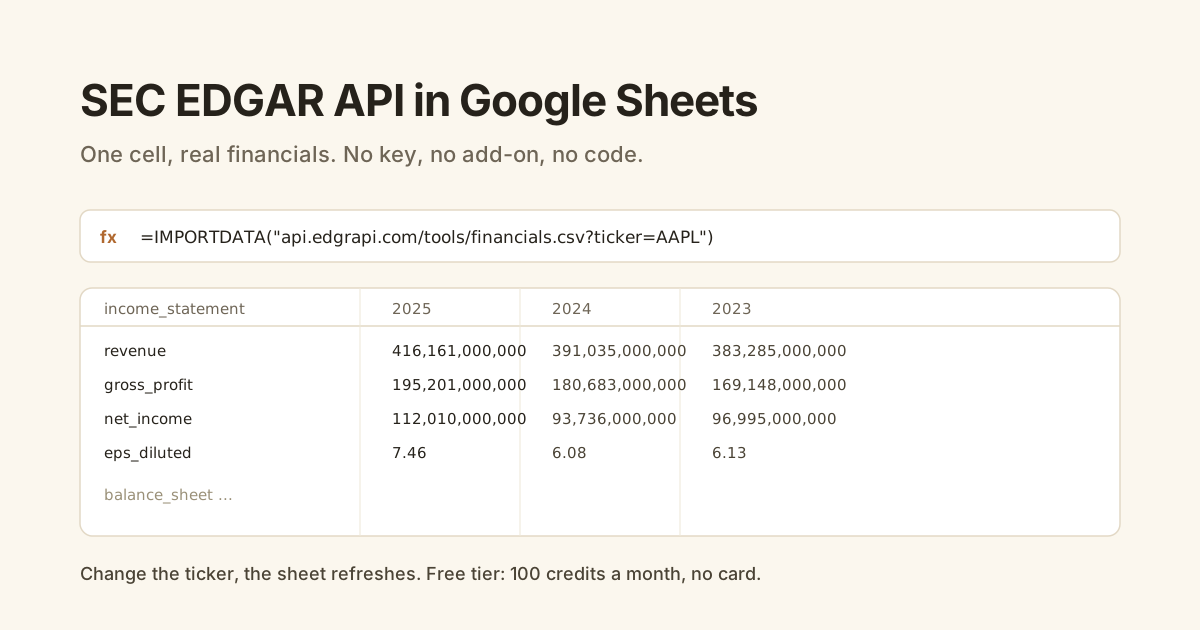
=IMPORTDATA("https://api.edgrapi.com/tools/financials.csv?ticker=AAPL") in a cell. It returns the income statement, balance sheet, and cash flow as five years of clean CSV, with no key and no code. IMPORTDATA cannot send headers, so for the keyed API (ratios, higher volume, many tickers) you use a small Google Apps Script function with UrlFetchApp. The free tier is 100 credits a month, no card.Can you pull SEC EDGAR data into Google Sheets?
Yes, in one cell. Google Sheets has a built-in IMPORTDATA function that fetches a CSV or TSV from a URL and drops it into the grid, so if a URL returns clean CSV financials, the whole job is one formula. The catch with the raw SEC route is that it returns XBRL, not CSV, so IMPORTDATA has nothing tabular to load.
Point it at a CSV endpoint instead and it just works:
=IMPORTDATA("https://api.edgrapi.com/tools/financials.csv?ticker=AAPL")
That fills the sheet with Apple's income statement, balance sheet, and cash flow, five years across. No key, no add-on.
How do you pull financials with one formula, no key or code?
You point IMPORTDATA at the free CSV endpoint and change the ticker. Edgrapi serves /tools/financials.csv?ticker={ticker} with a text/csv response, so Google Sheets loads it directly. Each statement comes as labeled rows with a column per fiscal year, already normalized, so you get real values instead of raw tags.
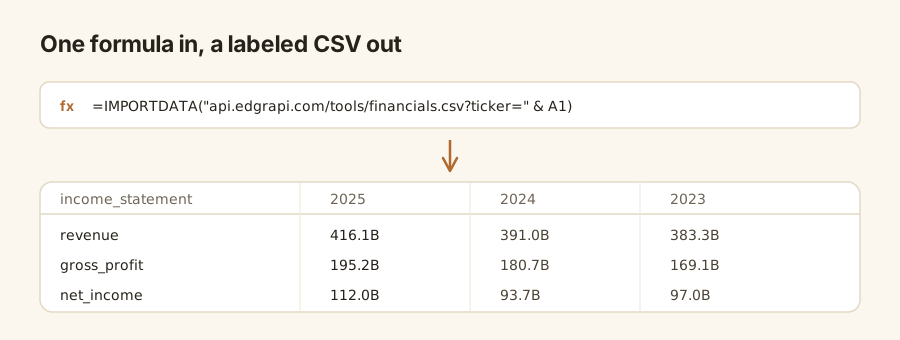
Put the ticker in its own cell and reference it, so the sheet updates when you type a new symbol:
=IMPORTDATA("https://api.edgrapi.com/tools/financials.csv?ticker=" & A1)
Type MSFT in A1 and the statements refresh to Microsoft. That is a working financials viewer with zero setup.
Why can't IMPORTDATA use the keyed API directly?
Because IMPORTDATA only accepts a URL, with no place to add headers. The keyed Edgrapi API expects your key in an X-API-Key header, and Sheets has no way to attach one, so a formula can never authenticate. Putting a key in the URL as a query string would work technically but exposes it to anyone with view access, so it is the wrong move for a shared sheet.
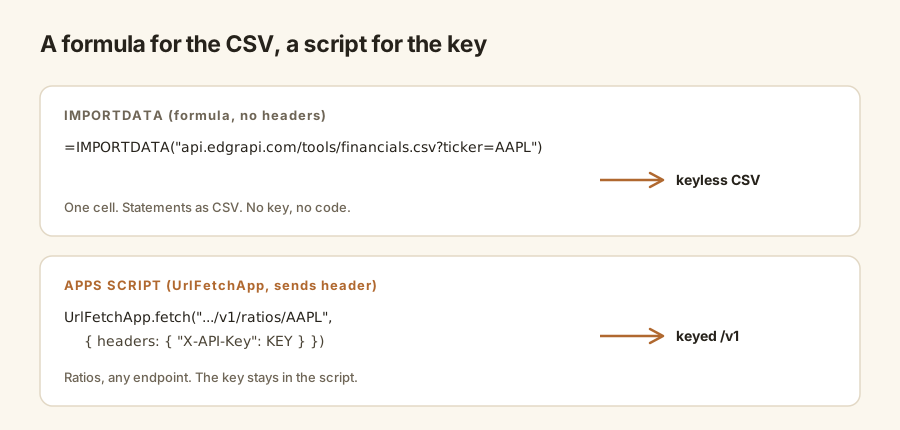
So the split is clean. The keyless CSV endpoint is built for exactly this formula path. The full /v1 API, with ratios and per-endpoint data, lives behind a key and needs a script that can send a header.
How do you pull ratios and many tickers with Apps Script?
You write a short Google Apps Script function that calls the keyed API with UrlFetchApp, which can send the X-API-Key header IMPORTDATA cannot. Wrap it as a custom function and you get a spreadsheet formula like =EDGRAPI("AAPL") that returns any field you want, including pre-computed ratios.
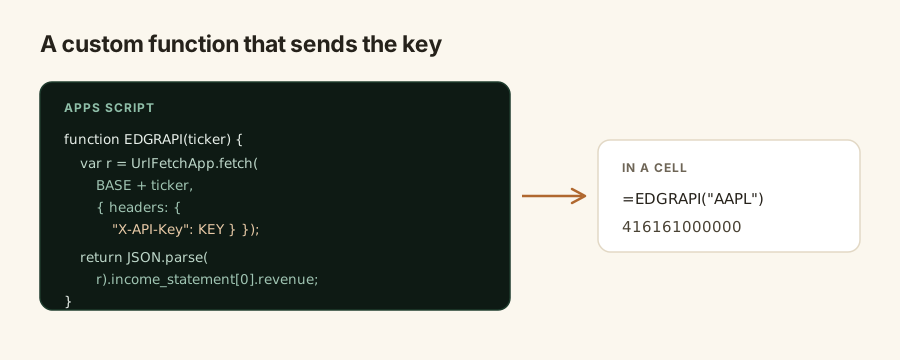
Open Extensions, Apps Script, and paste this:
function EDGRAPI(ticker) {
  var url = "https://api.edgrapi.com/v1/fundamentals/" + ticker + "?limit=1";
  var res = UrlFetchApp.fetch(url, { headers: { "X-API-Key": "edgr_your_key" } });
  var data = JSON.parse(res.getContentText());
  return data.income_statement[0].revenue;
}

function EDGRAPI_RATIO(ticker, name) {
  var url = "https://api.edgrapi.com/v1/ratios/" + ticker;
  var res = UrlFetchApp.fetch(url, { headers: { "X-API-Key": "edgr_your_key" } });
  return JSON.parse(res.getContentText()).ratios[name];
}
Save it, then in the sheet call =EDGRAPI("AAPL") for revenue or =EDGRAPI_RATIO("AAPL","net_margin") for the margin. The key stays inside the script, never in a cell.
How often does the data refresh, and what are the limits?
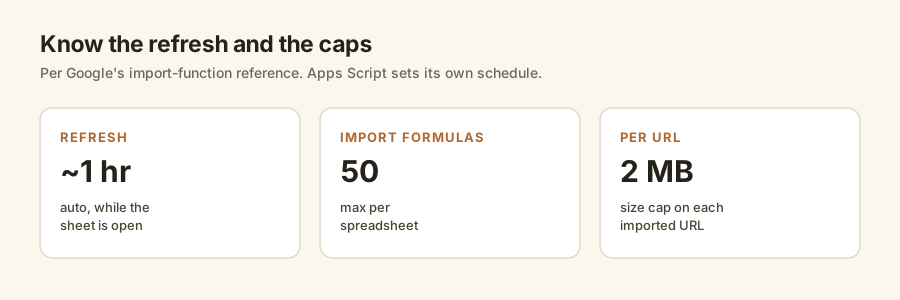
IMPORTDATA refreshes about once an hour while the sheet is open, and Google caps a spreadsheet at 50 import formulas with a 2 MB limit per imported URL, per the Google Docs import-function reference. That is plenty for a dashboard of a few dozen tickers, but it is why heavy or on-demand refresh belongs in Apps Script, where you set your own schedule with a trigger.
| Concern | IMPORTDATA (formula) | Apps Script (UrlFetchApp) |
|---|---|---|
| Setup | Paste one formula | Paste a short script |
| Auth | Keyless CSV endpoint only | X-API-Key header, full /v1 API |
| Ratios | Not exposed | Yes, /v1/ratios |
| Refresh | Hourly while open | Your own trigger schedule |
| Limit | 50 imports, 2 MB per URL | UrlFetchApp quota (thousands/day) |
| Best for | Quick, no-code pulls | Ratios, many tickers, control |
How do you build a multi-ticker dashboard?
You put your tickers down one column and fill the metrics with the custom function, so each row is a company and each column is a field. Because the Apps Script function takes the ticker as an argument, you drag the formula down and the whole watchlist populates, then sort or chart it like any other range.
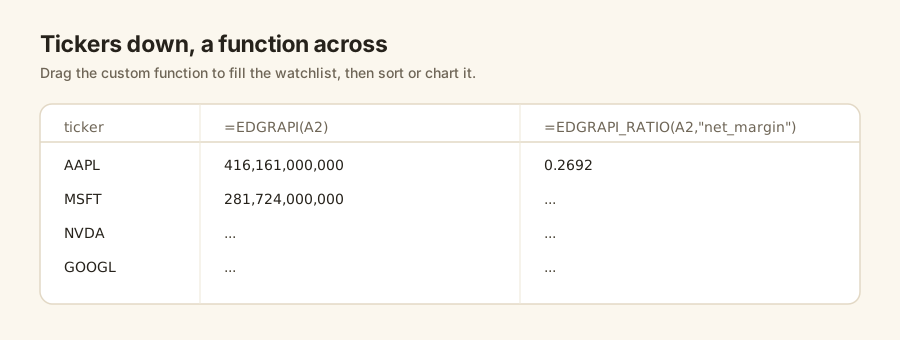
        A        B                          C
1   ticker   =EDGRAPI(A1)   =EDGRAPI_RATIO(A1,"net_margin")
2   AAPL     416161000000   0.2692
3   MSFT     281724000000   ...
4   NVDA     ...            ...
For a keyless version, a column of IMPORTDATA formulas works too, but you will hit the 50-import cap sooner, which is the point where the script pays for itself.
Put your first ticker in a cell
Open a blank sheet, drop the IMPORTDATA formula in A1 with a ticker you follow, and watch five years of statements land. If the numbers show up, you have a financials sheet you can extend to a watchlist.
The free tier is 100 credits a month, no card, which covers the keyed calls behind an Apps Script dashboard. Point Sheets at https://api.edgrapi.com and pull your first statement. The endpoints are in the docs, and the complete SEC EDGAR API guide covers the rest of the filing types.
Frequently asked questions
How do I import SEC financials into Google Sheets?
Put =IMPORTDATA("https://api.edgrapi.com/tools/financials.csv?ticker=AAPL") in a cell. Google Sheets fetches the CSV and fills the grid with the income statement, balance sheet, and cash flow, five years across, already normalized. No key, no add-on, no code. Change the ticker, or reference a cell, and the statements refresh to the new company.
Can IMPORTDATA send an API key or custom headers?
No. IMPORTDATA only takes a URL, a delimiter, and a locale, so it cannot attach an X-API-Key header. That is why the keyed Edgrapi API is unreachable from a plain formula. Use the keyless CSV endpoint for IMPORTDATA, or a Google Apps Script function with UrlFetchApp, which can send the header, when you need the authenticated API.
How do I get stock ratios into Google Sheets?
Ratios live behind the keyed API, so you use a small Apps Script function. UrlFetchApp calls /v1/ratios/{ticker} with your X-API-Key header, and you expose it as a custom function like =EDGRAPI_RATIO("AAPL","net_margin"). Net margin, ROE, debt-to-equity and the rest come pre-computed, so you read them straight into cells without deriving them.
How often does IMPORTDATA refresh?
About once an hour while the spreadsheet is open, per Google's documentation, whether or not the formula changes. Google also caps a sheet at 50 import formulas and 2 MB per imported URL. For faster or on-demand refresh, move the call into Apps Script and drive it with a time-based trigger you control.
Is there a free way to get company financials in Google Sheets?
Yes. The keyless CSV endpoint works with a single IMPORTDATA formula and no signup. For the authenticated API behind an Apps Script dashboard, Edgrapi's free tier is 100 credits a month with no card, which covers a watchlist's worth of calls. Use IMPORTDATA for quick no-code pulls and the script when you want ratios or many tickers.
How do I pull many tickers into one sheet?
Put your tickers down a column and fill the metrics with the Apps Script custom function, passing the ticker as an argument so you can drag the formula down. Each row becomes a company and each column a field, ready to sort or chart. A column of IMPORTDATA formulas also works, but you reach the 50-import cap faster, which is when the script is worth it.