USAspending API: How to Get Federal Spending as JSON
USAspending.gov tracks every dollar the federal government spends. The API is free, no key, no signup.
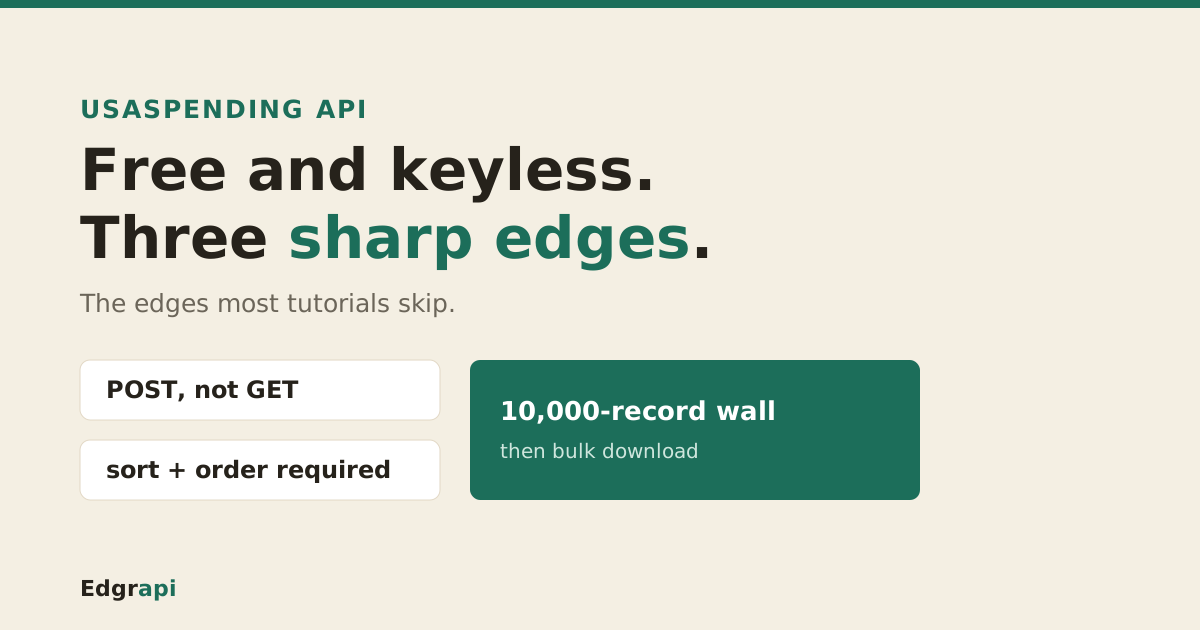
The USAspending API is a free, keyless REST API at api.usaspending.gov/api/v2 that returns every federal contract, grant, loan, and direct payment as JSON. You search awards by sending a POST to the spending_by_award endpoint with a filter body. No account, no token, no CAPTCHA. The catch is three sharp edges most tutorials skip: it's a POST not a GET, sort and order are required, and paginated search stops at 10,000 records.
api.usaspending.gov/api/v2, returning every federal contract, grant, loan and direct payment as JSON. Search with a POST to spending_by_award, send the required sort and order so you do not 400, pick one award family per call, and switch to the bulk download endpoint before the 10,000-record wall.What is the USAspending API?
The USAspending API is the official developer interface to USAspending.gov, the government's public record of federal spending. It serves contracts, grants, loans, and direct payments as JSON over three endpoint families: search (POST with a filter body), single-record detail (GET by id), and async bulk download. It's free and needs no key, and it covers prime awards back to fiscal year 2008.
Here's the map most people wish they had on day one.
| Endpoint | Method | Use it for | Cap |
|---|---|---|---|
/api/v2/search/spending_by_award/ | POST | Find awards by filter | 10,000 records |
/api/v2/awards/{id}/ | GET | Full detail on one award | one record |
/api/v2/download/awards/ | POST | Bulk export to CSV/ZIP | ~500,000 records |
The data comes from real government systems, not a scrape. Contracts flow in from FPDS-NG, grants and loans from agency reporting, and sub-awards from FSRS.
One honest caveat up front: USAspending runs about two to four weeks behind SAM.gov, and it never shows classified contracts.
Does the USAspending API need an API key?
No. The USAspending API needs no API key, no registration, and no CAPTCHA. You can hit api.usaspending.gov/api/v2 from a browser, curl, or a server with zero setup, because there's no header-based auth and CORS is open. That makes it one of the easiest federal datasets to start with, which is why so many contract-tracking tools are built on it.
This is genuinely rare for a government API.
SAM.gov makes you register for a key. Many agency APIs gate you behind a signup form.
USAspending just answers. You send a request, you get JSON back.
The trade for that openness is that you get no per-key quota to plan around, and no dashboard. You're a guest on a public service, so the polite-usage rules below still apply.
Does the USAspending API have rate limits?
Officially, no. USAspending publishes no per-key rate limit, because there are no keys. In practice the service tolerates a healthy pace: GovCon API's April 2026 testing ran 20 concurrent workers through 60 back-to-back searches with zero 429 errors and median latency near 1.6 seconds. There's no quota dashboard, so staying polite is on you.
Treat it like a shared public good, because it is.
A common courtesy pattern is a short delay, around 300 milliseconds, between page requests, plus a retry with backoff on any 5xx. That keeps you well inside what the official API handles without complaint.
Don't fan out 200 parallel requests to pull a big dataset. That's what the bulk download endpoint is for, and it's the friendlier way to move volume.
If you see a slow response or a timeout, back off and retry rather than hammering instantly. A government service under load recovers faster when clients ease up.
How do I search federal awards with the USAspending API?
You search by POSTing to the spending_by_award endpoint with a JSON body: a filters object, a fields array, and a required sort and order. The filters object must include award_type_codes, which sets the award family (contracts, grants, or loans). Per the official API contract, everything else is optional.
Here's a working search for Department of Defense contracts.
curl -X POST "https://api.usaspending.gov/api/v2/search/spending_by_award/" \
  -H "Content-Type: application/json" \
  -d '{
    "filters": {
      "award_type_codes": ["A","B","C","D"],
      "agencies": [{"type":"awarding","tier":"toptier","name":"Department of Defense"}],
      "time_period": [{"start_date":"2025-01-01","end_date":"2025-12-31"}]
    },
    "fields": ["Award ID","Recipient Name","Award Amount","Awarding Agency"],
    "sort": "Award Amount",
    "order": "desc",
    "limit": 10
  }'
The awards come back under results, and page_metadata.hasNext tells you whether another page exists.
Notice the fields array. You pick the columns you want, using the Title-Case display names, and the API returns only those.
How do I search the USAspending API with Python?
In Python, the USAspending API is a single requests.post with a JSON body, no key and no auth header. Post your filter body to the spending_by_award endpoint, then read resp.json()["results"] for the awards and page_metadata["hasNext"] to page. Because there's no authentication, the same ten lines that work locally work in production.
Here's a complete example.
import requests

body = {
    "filters": {
        "award_type_codes": ["A", "B", "C", "D"],
        "recipient_search_text": ["Lockheed"],
        "time_period": [{"start_date": "2025-01-01", "end_date": "2025-12-31"}],
    },
    "fields": ["Award ID", "Recipient Name", "Award Amount", "Awarding Agency"],
    "sort": "Award Amount",
    "order": "desc",
    "limit": 100,
    "page": 1,
}
resp = requests.post(
    "https://api.usaspending.gov/api/v2/search/spending_by_award/",
    json=body, timeout=40,
)
data = resp.json()
for award in data["results"]:
    print(award["Award ID"], award["Recipient Name"], award["Award Amount"])
There's no official Python client, and you don't need one. Plain requests is the standard way to call it.
For a scheduled job, set a real timeout and a retry. The API is fast, usually 300 to 600 milliseconds a page per GovCon API's April 2026 testing, but a government service can still stall.
Why does the USAspending API return a 400 error?
Most often, because you left out sort or order. On spending_by_award, both are required, and omitting them returns an HTTP 400 with a list of valid sort keys instead of results. The other common 400 is a missing award_type_codes inside filters, which the endpoint treats as a required key. Fix both and the same request succeeds.
This is the single most common wall developers hit.
You copy a filter example from somewhere, run it, and get a 400. The body looks right. The filters are valid.
The problem is the two fields that live outside filters: sort and order. Add "sort": "Award Amount" and "order": "desc" and the error clears.
One more trap. Your sort value has to be one of the exact field names you asked for in fields. Sort by a column you didn't request, and you'll get another 400.
How do I filter by contracts, grants, and loans?
You filter by setting award_type_codes to the codes for one award family. Contracts are A, B, C, D. Grants are 02, 03, 04, 05. Loans are 07, 08, and direct payments are 06, 10. You search one family at a time, because the valid response fields differ between, say, a contract and a loan. Mixing families in one call returns messy or empty fields.
Here's the full code map.
| Category | award_type_codes |
|---|---|
| Contracts | A, B, C, D |
| IDVs (indefinite delivery) | IDV_A through IDV_E |
| Grants | 02, 03, 04, 05 |
| Direct payments | 06, 10 |
| Loans | 07, 08 |
| Other / insurance | 09, 11 |
Leave award_type_codes out and you'll 400. Put contract codes and grant codes in the same call and the response fields get unreliable, since the endpoint can't return contract-only columns for a grant.
So pick a family, run the search, then run a second search for the next family if you need both.
How do I get more than 10,000 records from the USAspending API?
You switch endpoints. Paginated spending_by_award search stops at a practical ceiling of 10,000 records, so page 100 at 100 records each is the wall. To pull a full agency or fiscal year, POST to the async bulk download endpoint /api/v2/download/awards/ instead, which returns a job URL you poll until a CSV or ZIP is ready. Bulk download handles up to roughly 500,000 records.
Think about which tool the job needs.
For a search feature, where a user filters to a few hundred awards, spending_by_award is perfect. Fast, filterable, JSON.
For analytics over an entire agency's year, you're past 10,000 rows, so the search endpoint can't finish the set. That's the download endpoint's job.
The download endpoints run asynchronously. You POST your filters, get back a status_url, and poll it every few seconds until the job reports finished, then fetch the CSV or ZIP from the file URL it hands you.
Performance also drops as you page deep. GovCon API's testing found response times climb sharply past page 50, around 5,000 records, so even under the cap, deep pagination is slow. If you're regularly crossing a few thousand rows, the bulk download or a nightly CSV load beats hammering the search endpoint.
What comes back, and what's missing?
Each award in results carries the fields you asked for, using Title-Case display names like Award ID, Recipient Name, Award Amount, and Awarding Agency, plus a generated_internal_id for the detail lookup. What's missing surprises people: the search endpoint returns null for some fields like NAICS code and PIID even when you request them, and the field names switch to snake_case on the detail endpoint.
So the search response is a summary, not the whole record.
Need the full detail, with all 26-plus fields? Take the generated_internal_id from a search result and GET /api/v2/awards/{id}/. That endpoint returns the complete award in snake_case.
Watch two data traps. NAICS often comes back null from spending_by_award, so pull it from the transaction endpoint or the detail lookup.
And recipient_id is not the same as a UEI. If you're matching a company across SAM.gov and USAspending, match on the UEI, not the internal recipient id.
How do I get every award for one company?
You filter by the company name with recipient_search_text, then page until page_metadata.hasNext is false or you approach the 10,000-record cap. For a vendor with more history than that, match on its UEI and pull the full set from the bulk download endpoint instead. Name search is fuzzy, so verify results against the recipient's UEI before you trust any totals.
This is the most common real-world job on the API.
Set recipient_search_text to the name, keep award_type_codes to the family you care about, and widen time_period to the years you need.
Then page. Increment page, keep limit at 100, and stop when hasNext is false.
One caution. recipient_search_text matches text, so "Boeing" can pull subsidiaries and similarly named vendors. If you need one legal entity, resolve its UEI first and confirm each award's recipient against it.
USAspending or SAM.gov: which API do I need?
Use USAspending for awards already made, and SAM.gov for opportunities still open. USAspending tells you who won, how much, and when, across contracts, grants and loans back to 2008. SAM.gov's opportunities API lists solicitations you can still bid on. They're two ends of the same contract lifecycle, and most GovCon tools need both.
Here's the simple split.
Chasing work? You want SAM.gov, where open solicitations live.
Researching who already won, or sizing a market by past spend? That's USAspending.
The pairing is the real power. See a solicitation on SAM.gov, then pull the incumbent's past awards on USAspending to know who you're up against.
That's why we put both behind one Edgrapi key, so a single integration reaches opportunities and awards without juggling two very different APIs.
How do I get USAspending data as clean, normalized JSON?
You skip the POST filter body and the Title-Case-versus-snake_case split by using a normalized wrapper. Edgrapi's /v1/awards endpoint reads the same keyless USAspending spending_by_award data and returns it as flat, snake_case JSON on a single key, over a plain GET. It defaults to the last year, sorts by amount, and attaches the public usaspending.gov link for each award.
Here's the same Lockheed search through Edgrapi.
curl "https://api.edgrapi.com/v1/awards?category=contracts&recipient=Lockheed&limit=10" \
  -H "Authorization: Bearer YOUR_EDGRAPI_KEY"
You get back each award with recipient, amount, awarding_agency, parsed start_date and end_date, and the usaspending_url, with no Title-Case keys to remap. There's a matching MCP tool, get_awards, so an AI agent can call it directly, and empty result sets don't cost a credit.
Be clear about the trade. Edgrapi is a paid, credit-metered API, not a free government endpoint, and the data is the same public-domain USAspending feed at the same two-to-four-week freshness. What you pay for is one key across awards, SAM.gov contracts, grants, and SEC data, one schema, and never writing the POST-body plumbing.
Frequently asked questions
Does the USAspending API require an API key?
No. The USAspending API needs no API key, no registration, and no CAPTCHA. You can call api.usaspending.gov/api/v2 from curl, a browser, or a server with no auth header at all. Search endpoints use POST with a JSON filter body, and single-record endpoints use GET. It's one of the most open federal datasets available to developers.
What is the USAspending spending_by_award endpoint?
spending_by_award is USAspending's main award-search endpoint, at POST /api/v2/search/spending_by_award/. You send a JSON body with a filters object (including award_type_codes), a fields array, and a required sort and order. It returns matching contracts, grants, or loans under results, up to 100 per page and 10,000 records total per query.
Why does the USAspending API return a 400 error?
Usually because sort or order is missing. Both are required on spending_by_award, and leaving either out returns a 400 with the valid sort keys listed. The other frequent cause is omitting award_type_codes inside filters. Also make sure your sort value is one of the exact field names you requested in fields, or you'll get another 400.
How do I get more than 10,000 records from the USAspending API?
Use the bulk download endpoint. Paginated spending_by_award search caps at 10,000 records, so for a full agency or fiscal year you POST to /api/v2/download/awards/, which runs an async job and returns a URL you poll until a CSV or ZIP file is ready. Bulk download handles up to roughly 500,000 records per job.
How do I filter USAspending by contracts, grants, or loans?
Set award_type_codes in the filters object to one family's codes: contracts are A, B, C, D, grants are 02, 03, 04, 05, and loans are 07, 08. Search one family per call, because the valid response fields differ by type. Mixing contract and grant codes in one request produces unreliable or empty fields.
How do I get USAspending data as clean, normalized JSON?
Either parse the spending_by_award response yourself, remapping the Title-Case fields, or use a normalized wrapper. Edgrapi's /v1/awards reads the same keyless USAspending data and returns flat snake_case JSON on one key over a plain GET, with parsed dates and the usaspending.gov link attached. It's credit-metered rather than free, and covers awards alongside SAM.gov contracts, grants, and SEC data.