OpenInsider Alternatives: 7 Insider Trading Trackers Compared (2026)
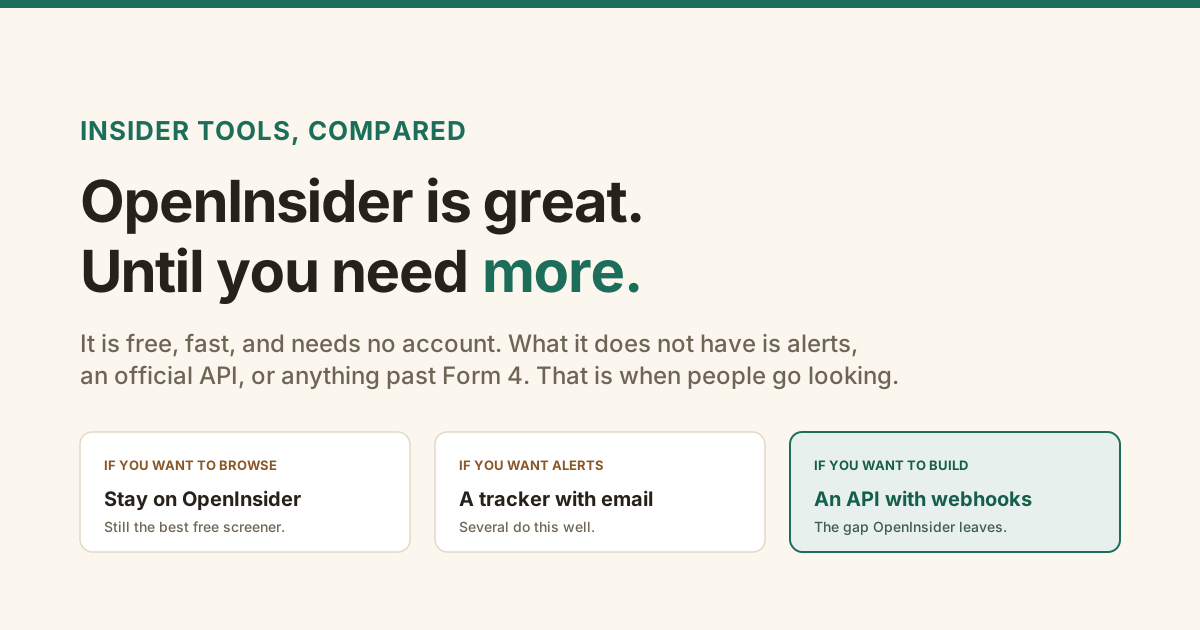
Most "OpenInsider alternatives" lists are a pile of affiliate links that never say the obvious thing: for what most people use it for, OpenInsider is already the right answer.
So this comparison starts there. Below is what it does well, the three specific things it does not do, and which tool actually fixes each one.
What is OpenInsider actually good at?
Browsing. It is free, it needs no account, and its preset screens for open-market purchases and cluster buys answer the common question in about two clicks.
It pulls from the same public SEC EDGAR filings everyone else does, and it has been doing it long enough to have deep history. For looking up what insiders did at a company, or scanning the biggest recent buys, it remains the tool to beat. Any list that tells you to replace it for that job is selling something.
Why do people look for an OpenInsider alternative?
Three gaps, and they are specific. There are no alerts, so you have to remember to check. There is no official API, so you cannot pull the data into your own code. And it covers Form 4 only, so material events and financials live somewhere else.
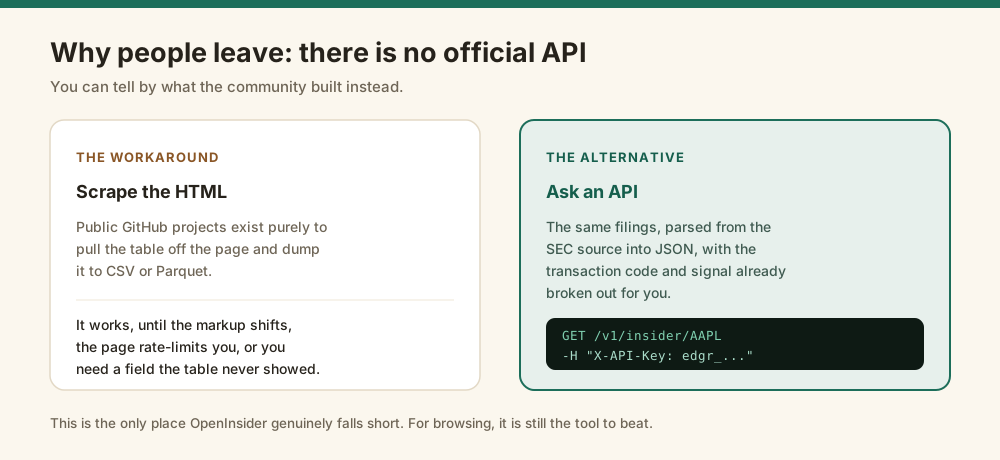
The API gap is the one you can measure. Because there is no official endpoint, developers have published Python scrapers that lift the tables off the page, and someone built an MCP server so language models can reach the data. People do not write scrapers for products that ship an API.
Which insider tracker should you pick?
Pick by the job you are doing, because these tools are answering different questions. Browsing, alerting, analysing clusters, and building software are four different needs, and almost no tool is best at more than one.
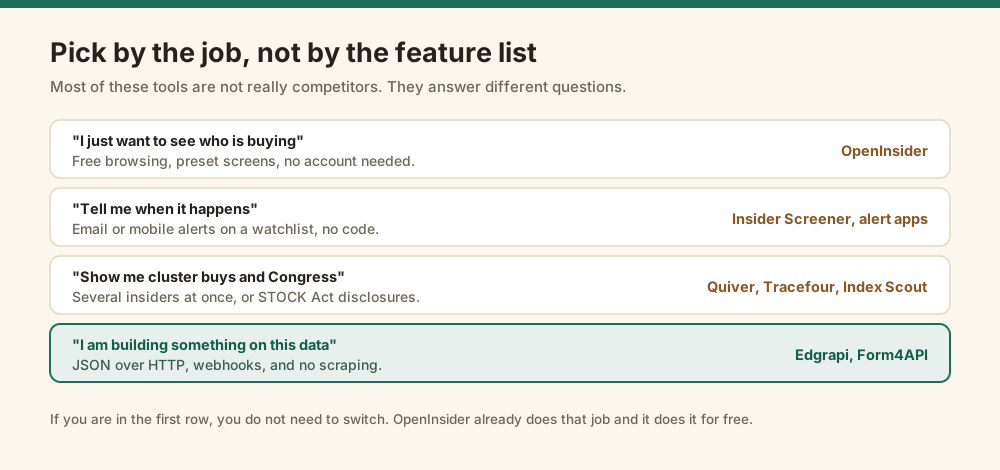
If you land in the first row, you are done. You do not need this article.
How do the seven trackers compare?
Here is the honest matrix. The columns are the things that actually differ, not a feature list padded out to look thorough.
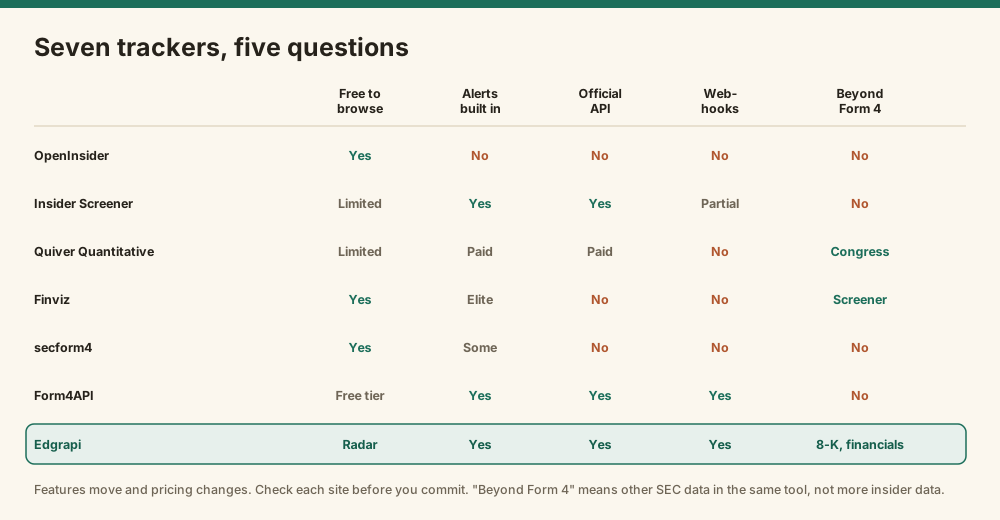
| Tool | Best for | The catch |
|---|---|---|
| OpenInsider | Free browsing and preset screens | No alerts, no official API |
| Insider Screener | Email alerts across many markets, with API access | Browsing is more limited than OpenInsider |
| Quiver Quantitative | Congress trades and alternative data next to insider data | A dashboard first, insider screener second |
| Finviz | Insider data inside a full stock screener | Insider tab is supplementary; alerts need Elite |
| secform4 | A second opinion on real-time Form 4 with analytics | No API or webhooks |
| Form4API | Developers who want Form 4 with deep history and an SDK | Form 4 only |
| Edgrapi | Developers who want insider trades, 8-K events and financials on one key | Newer, and the browsing UI is a simple radar |
Prices move, so treat any figure you read as a starting point. At the time of writing, Quiver's premium tier sits around $25 a month and Finviz Elite around $40, with alerts behind both.
What if you need an API or webhooks?
Then your shortlist is short, because most of these tools are made for a person reading a screen rather than a program. Form4API and Edgrapi are the two built for code.
Both return parsed JSON and both push webhooks. Form4API's advantages are a longer history and a Python SDK. Edgrapi's are that the same key also covers 8-K material events and financial statements, and that deliveries are signed so you can verify them. Pick on which shape fits what you are building.
curl "https://api.edgrapi.com/v1/insider/AAPL" \
  -H "X-API-Key: edgr_your_key"

# or watch a list and get pushed instead of polling
curl -X POST "https://api.edgrapi.com/v1/webhooks" \
  -H "X-API-Key: edgr_your_key" \
  -H "Content-Type: application/json" \
  -d '{"url": "https://you.example.com/hook",
       "tickers": ["ACME", "NVDA"], "events": ["insider", "8-k"]}'
The setup is covered step by step in the guide to insider trading alerts, including how to verify the signature on each delivery.
What does each option cost?
Free if you are willing to do the watching, roughly $25 to $40 a month if you want a dashboard to watch for you, and a free tier plus usage-based pricing if you want your own software to do it.
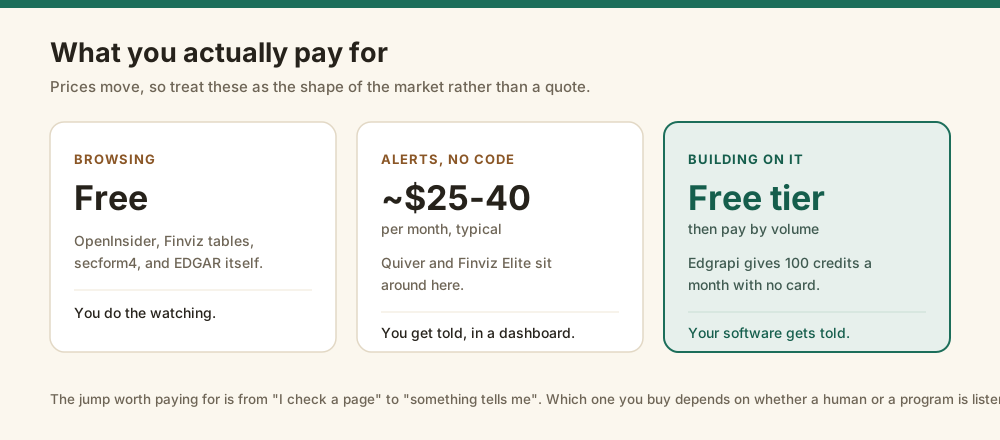
Edgrapi's free tier is 50 credits with no card, and the public insider radar plus its daily email digest are free to anyone, no account needed.
So which one should you use?
Keep OpenInsider for browsing. Add a second tool only for the gap you actually feel.
If you check filings by hand and that is fine, change nothing. If you keep forgetting to check, buy alerts from whichever dashboard you find readable. If you are writing code, or you want insider trades sitting next to 8-K events and financials, use an API and stop scraping.
Worth knowing before you rely on any of them: they are all reading the same public filings, and a Form 4 is reported up to two business days after the trade. No tool here gets you the trade before the disclosure. What you are buying is speed of notice and shape of the data. The guide to tracking insider buying covers which trades are worth reacting to in the first place.
Try the free radar first
Before you pay for anything, look at the insider radar. It lists the biggest open-market buys across the market right now, free and with no account, so you can see whether this data is useful to you at all.
If it is, grab a key from the dashboard and read the docs. If it is not, you have lost nothing.
See today's biggest insider buys →
Comparisons reflect publicly available information at the time of writing and features change. Edgrapi surfaces public SEC filings for research. This is not investment advice.
Frequently asked questions
What is the best alternative to OpenInsider?
It depends on the job. For free browsing, nothing beats OpenInsider itself. For email alerts without writing code, Insider Screener and the dedicated alert apps are the usual picks. For building software on insider data, you want an API with webhooks, which is where Edgrapi and Form4API sit. Edgrapi's free tier is 50 credits with no card.
Does OpenInsider have an API?
OpenInsider does not offer an official public API. That gap is why the community has published several Python scrapers that pull the tables off the site into CSV or Parquet, and why an MCP server exists to expose the data to language models. If you need programmatic access, a purpose-built API returns the same SEC filings as JSON without scraping HTML.
Is OpenInsider free?
Yes. OpenInsider is free to use, needs no account, and covers SEC Form 4 filings with preset screens for open-market buys and cluster purchases. That combination is why it stays the default for people who just want to look something up. The paid alternatives are selling alerts, analytics, or programmatic access rather than better raw filings.
Which insider tracker sends alerts?
Insider Screener and the dedicated alert services send email or mobile notifications on a watchlist. Quiver Quantitative and Finviz Elite include alerts in their paid tiers, generally in the $25 to $40 a month range at the time of writing. If you want the alert delivered to your own code rather than your inbox, Edgrapi posts a signed webhook instead.
What can I track besides Form 4 insider trades?
Quiver Quantitative and Tracefour add US Congress trading disclosed under the STOCK Act. Finviz surrounds insider data with a broader stock screener. Edgrapi covers 8-K material events and company financial statements from the same API key, so insider trades sit alongside earnings, acquisitions, and executive changes rather than in a separate tool.
Do I have to switch away from OpenInsider?
Usually not. If your workflow is opening a page and scanning recent open-market buys, OpenInsider already does that well and costs nothing. Switching is worth it when you need something it does not do: being notified automatically, pulling data into your own program, or seeing filings beyond Form 4. Many people keep it and add a second tool.