SEC EDGAR API in Cursor: Connect an MCP Server for SEC Filings (2026)
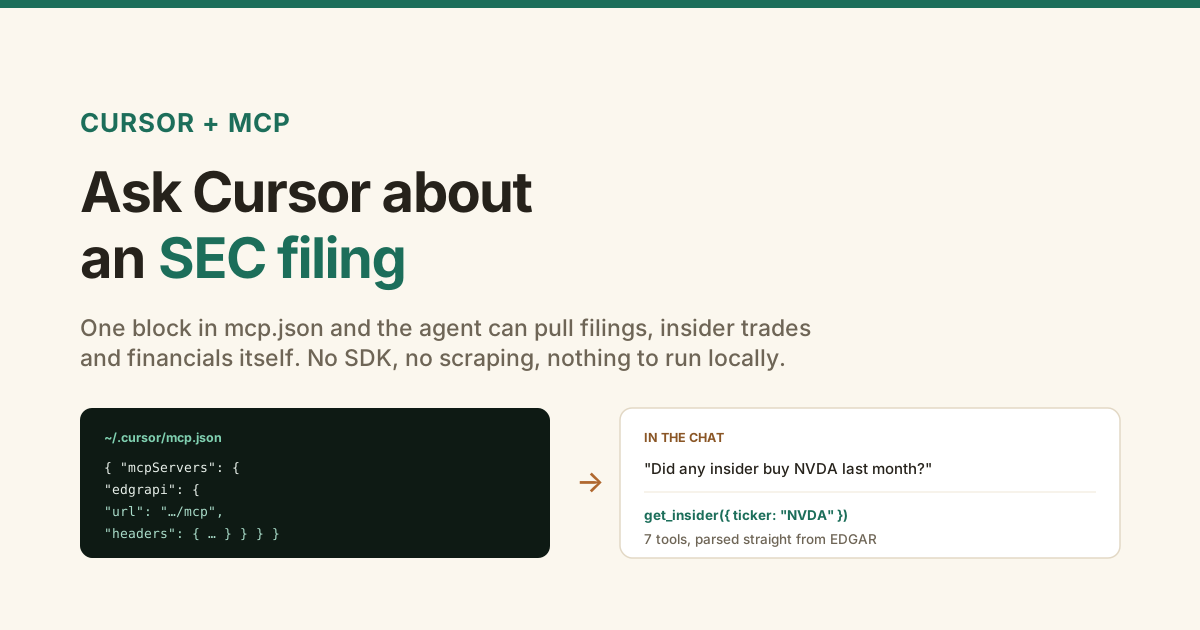
Cursor is good at code and blind to everything else. Ask it what NVIDIA's insiders did last quarter and it will guess, because it has no way to look.
MCP fixes that. You point Cursor at a server, it discovers the tools, and now the agent can pull real SEC filings mid-conversation instead of inventing them.
Here is the setup, both ways to authenticate, and the three things that usually go wrong.
mcp.json with "url": "https://api.edgrapi.com/mcp" and an Authorization header holding your key. Put it in ~/.cursor/mcp.json for every project or .cursor/mcp.json for one repo. Restart Cursor and the tools appear: insider trades, 8-K events, filings, sections, fundamentals, ratios, company profiles, and more. OAuth works too if you would rather not store a key. Free tier is 100 credits a month, no card.How do you connect an SEC EDGAR MCP server to Cursor?
You add one object to mcp.json. This is a remote server over HTTP, so there is no package to install, no process to keep running, and nothing to update.
{
  "mcpServers": {
    "edgrapi": {
      "url": "https://api.edgrapi.com/mcp",
      "headers": {
        "Authorization": "Bearer ${env:EDGRAPI_KEY}"
      }
    }
  }
}
Save it, restart Cursor, and open the MCP section of settings. The server should list its tools. Grab a key from the dashboard first, and export it as EDGRAPI_KEY.
Cursor expands ${env:NAME} inside url and headers, which is why the example reads from the environment rather than hard-coding the key. That matters more than it looks, because it is what makes the file safe to commit.
Where does the mcp.json file go?
Two places, and the choice is about scope. Global config at ~/.cursor/mcp.json applies to every project. Project config at .cursor/mcp.json in the repo root applies only to that repo.
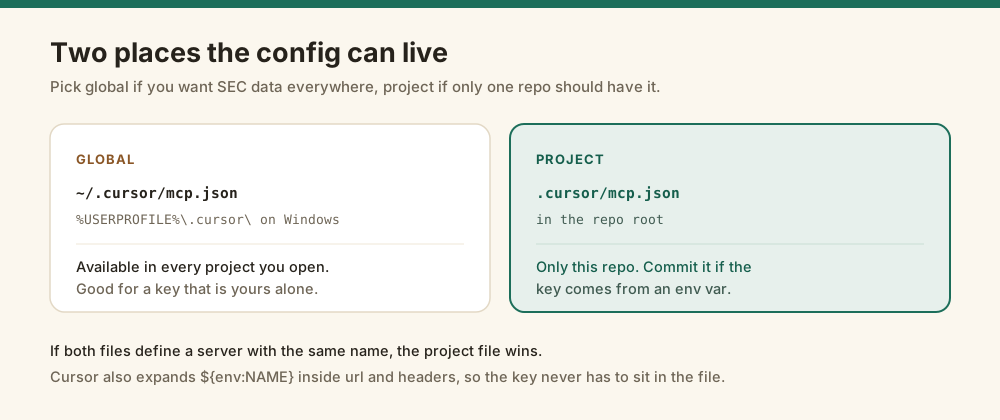
On Windows the global file is %USERPROFILE%\.cursor\mcp.json. Use the project file when a repo needs SEC data and your other work does not, and commit it as long as the key comes from an env var.
How do you authenticate it?
Two options. A static Bearer header is the fastest and works the moment you save. OAuth 2.1 is the route the MCP spec prefers, because the token expires and can be revoked.
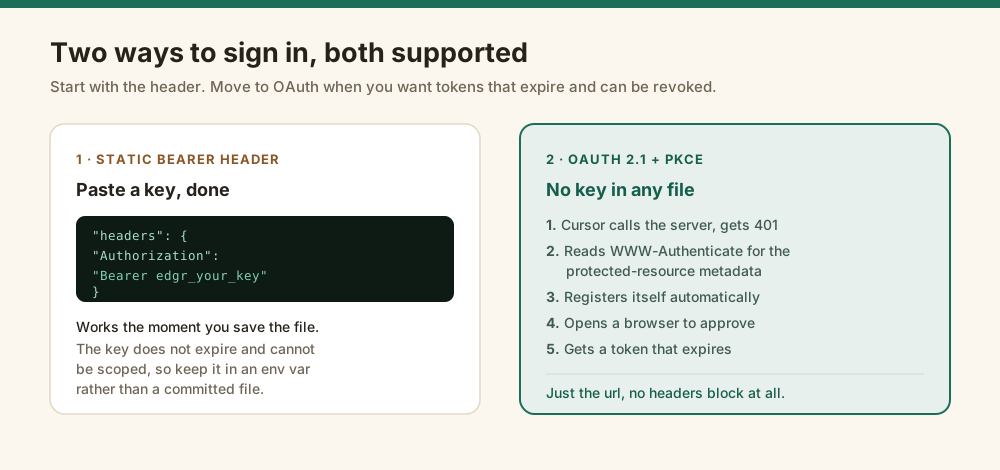
For OAuth you give Cursor only the url, with no headers at all:
{
  "mcpServers": {
    "edgrapi": { "url": "https://api.edgrapi.com/mcp" }
  }
}
What happens next is automatic. Cursor calls the server, gets a 401 carrying a WWW-Authenticate header that points at the protected-resource metadata, follows that to the authorization server, registers itself, and opens a browser for you to approve. You sign in once and Cursor holds a token that expires on its own. The MCP specification covers the transport details if you want them.
Both paths hit the same tools and the same credit balance, so this is purely a question of how you would rather store the secret.
What tools does the agent get?
Thirteen, covering the filings people actually ask about. The two worth having in an editor are get_insider and get_events, because those answer questions no amount of training data can.
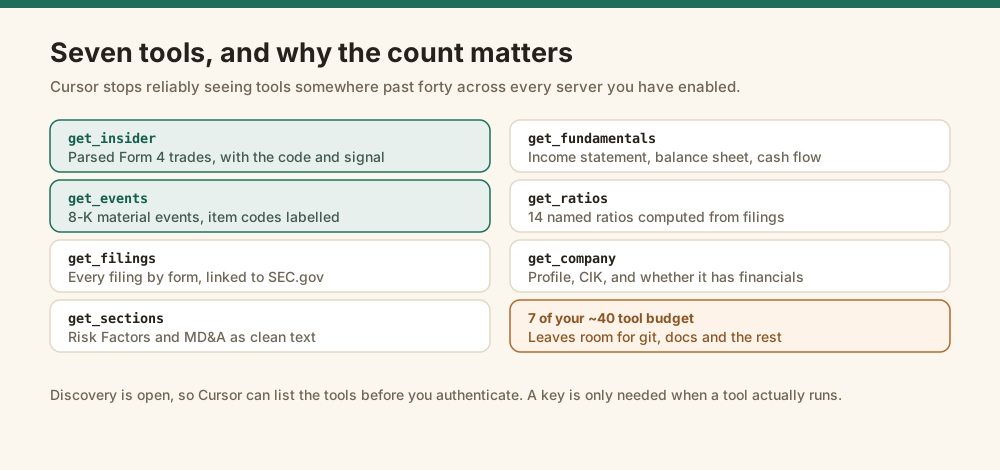
| Tool | What it returns | Credits |
|---|---|---|
get_insider | Parsed Form 4 trades: who, the code, shares, price, 10b5-1 flag | 5 |
get_events | 8-K material events with item codes labelled | 1 |
get_filings | Filing history by form, linked to SEC.gov | 1 |
get_sections | Risk Factors, MD&A and other 10-K sections as text | 5 |
get_fundamentals | Income statement, balance sheet, cash flow | 3 |
get_ratios | 14 named ratios computed from the statements | 3 |
get_company | Profile, CIK, and whether financials exist at all | 1 |
Tool discovery is open, so Cursor can list every tool before you authenticate. A key is only required when a tool actually runs.
What can you actually ask it?
Plain questions. The agent reads the tool descriptions and picks one, so you never name the tool or remember its arguments.
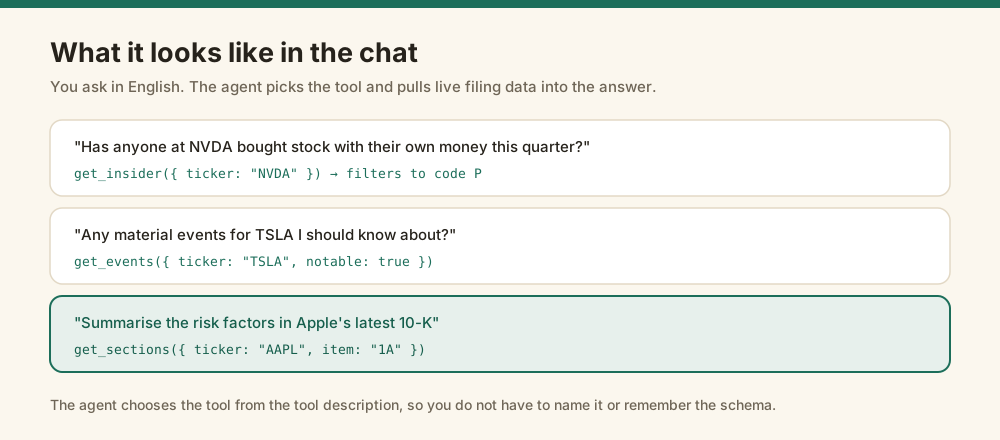
The one worth trying first is insider activity, because it is the question where a model with no tools is most confidently wrong. Ask which insiders bought with their own money and you get code-P purchases parsed out of Form 4, not a guess. The guide to tracking insider buying explains why that code is the one that counts.
Why can't Cursor see the tools?
Almost always one of three things, in this order.
MCP is gated behind a settings toggle that ships off in some installs. Open Cursor Settings, search for MCP, and confirm it is enabled before debugging anything else.
Cursor also has a ceiling of roughly forty active tools across all servers combined. Go past it and the agent quietly stops seeing some of them, which looks exactly like a broken server. Disable the servers you are not using. Edgrapi's set still leaves room for the rest.
And a malformed mcp.json fails without saying much, so paste the file through a JSON validator before assuming the server is at fault. If you want to check the server independently of Cursor, list its tools directly:
curl -s https://api.edgrapi.com/mcp \
  -H "Content-Type: application/json" \
  -d '{"jsonrpc":"2.0","id":1,"method":"tools/list"}'
That needs no key. If it returns the tool list, the server is fine and the problem is in Cursor.
How does this compare to other SEC MCP servers?
There are a few now, and they are not all trying to do the same thing. Being honest about that is more useful than a feature table.
EdgarTools ships a free, open-source MCP server with no API key at all. If you want something you run yourself and never pay for, start there. edgar.tools is a hosted server with a free tier and its own analytics on top.
Edgrapi is hosted, so there is nothing to run, and the same key works across the REST API and MCP. What it does that the general-purpose servers mostly do not is parse Form 4 into scored transactions and label 8-K item codes, which is the difference between reading a filing and answering a question about it. If all you need is fundamentals, the free options are genuinely fine.
Connect it and ask one question
Grab a free key from the dashboard, drop the config block into ~/.cursor/mcp.json, restart, and ask the agent what insiders have been buying at a company you follow.
The free tier is 100 credits a month with no card. The docs cover the REST endpoints behind each tool, and the agent guide covers the same setup for function calling instead of MCP. If you would rather see the data before wiring anything up, the insider radar is public.
Edgrapi surfaces public SEC filings for research. It is not investment advice.
Frequently asked questions
How do I add an SEC EDGAR MCP server to Cursor?
Add one entry to mcp.json with the server URL and an Authorization header. For Edgrapi that is https://api.edgrapi.com/mcp with a Bearer key, saved to ~/.cursor/mcp.json for every project or .cursor/mcp.json for one repo. It is a remote server over HTTP, so there is nothing to install or run locally. Restart Cursor and the tools appear.
Where is the Cursor MCP config file?
Global config lives at ~/.cursor/mcp.json, which on Windows is %USERPROFILE%\.cursor\mcp.json. Project config lives at .cursor/mcp.json in the repo root and applies only to that project. If both define a server under the same name, the project file wins. Cursor expands ${env:NAME} inside url and headers, so an API key never has to sit in the file.
Do I need an API key, or does OAuth work?
Both work. A static Bearer header is the quickest route and works as soon as you save the file. Edgrapi also implements OAuth 2.1 with PKCE, so Cursor can get a 401, read the WWW-Authenticate header for the protected-resource metadata, register itself, and open a browser for you to approve. With OAuth you supply only the url and no headers block.
What can Cursor do with SEC data once it is connected?
The full set covers parsed Form 4 insider trades, 8-K material events with labelled item codes, 13F fund portfolios, 13D/13G >5% activist stakes, filing history, 10-K narrative sections like Risk Factors and MD&A, financial statements, 14 computed ratios, company profiles, ticker/CIK/CUSIP resolution, full-text filing search, a full XBRL-to-JSON converter, shares outstanding with public float, Form D private placements, and company subsidiaries. You ask in plain English and the agent picks the tool, so you never write the request or remember the schema.
Why can't Cursor see my MCP tools?
Three usual causes. MCP can be gated behind a settings toggle that is off in some installs, so check Cursor Settings for Enable MCP Servers. Cursor also stops reliably exposing tools past roughly forty across all servers combined, so disable ones you are not using. And a malformed mcp.json fails quietly, so validate the JSON before assuming the server is down.
Is there a free SEC EDGAR MCP server?
Yes, several. EdgarTools ships a free open-source MCP server that needs no API key, and edgar.tools offers a hosted one with a free tier. Edgrapi's free tier is 100 credits a month with no card. The differences are what each parses and whether you host it yourself, so pick on the data you need rather than on price alone.