How to Monitor SAM.gov Contract Opportunities (2026)
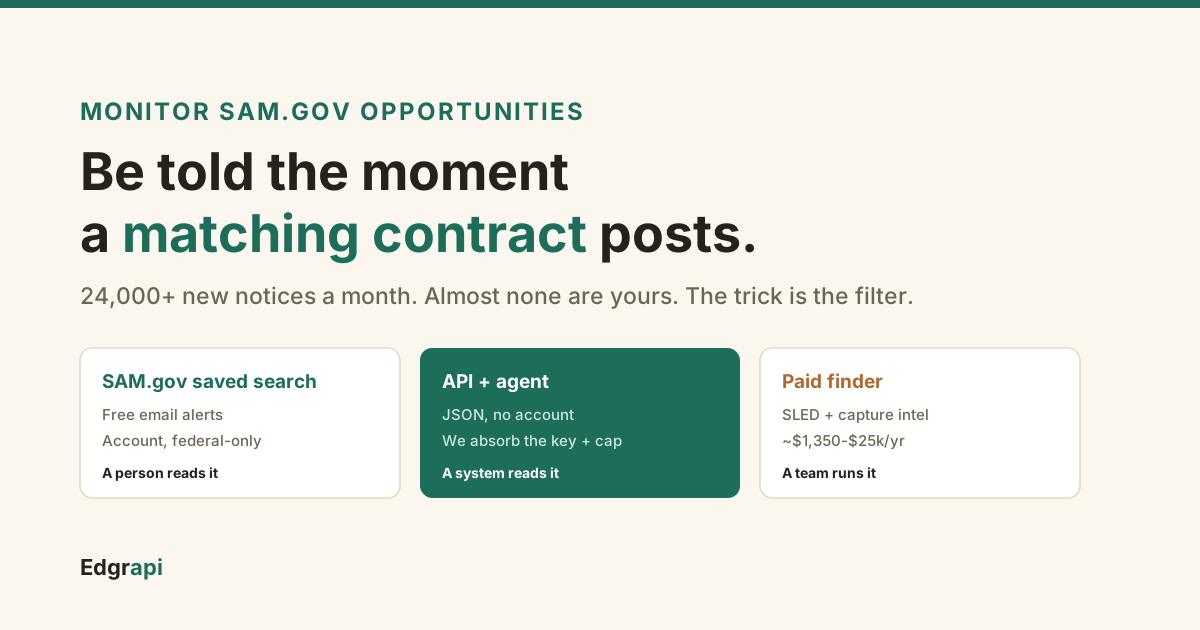
The government posts thousands of new contract opportunities every month. Almost none of them are yours. The trick is being told the moment one is.
To monitor SAM.gov contract opportunities, set up a saved search with email alerts so new matching solicitations come to you instead of you checking the site daily. SAM.gov does this free with an account. If you want the opportunities in your own system, an AI agent, or without a SAM.gov login, a normalized API or alert service does the polling for you.
/v1/opportunities polls for you and its alerts email only new notices. Paid finders add state and local plus capture intelligence from about $1,350 a year.There are three honest ways to do this, and the right one depends on whether a human reads the result or a machine does.
How do you get notified when a new contract opportunity is posted?
You set up a filter once and let something watch SAM.gov for you. There are three routes: SAM.gov's own free saved-search email alerts, a programmatic API or alert service that feeds your own tools, and a paid capture platform. All three watch the same federal source. They differ in where the result lands, whether you need a SAM.gov account, and how much you pay.
SAM.gov is the system of record. Every federal contract opportunity over $25,000 posts there, and more than 24,000 new notices land each month, per government-contracting guides like SLEDai's 2026 tool roundup.
I pulled the live number while writing this: a single 30-day window on the opportunities feed held 24,981 open notices. Nobody reads that by hand.
So monitoring is really a filtering problem. Get the filter right, route the matches somewhere you will actually see them, and ignore the rest.
The destination is the fork in the road. A human inbox wants a clean email with a deadline on it. A system, a Slack channel, or a CRM wants structured data it can file and dedupe. An AI agent wants a tool it can call and reason over. Those are three different builds dressed up as one question, and picking the wrong one is why people either drown in email or over-engineer a pipeline they did not need.
Does SAM.gov have saved searches and email alerts?
Yes. SAM.gov has free saved searches with email notifications, and for a lot of people that is the whole answer. Create a free SAM.gov account, run a search with your filters, save it, and turn on email alerts. SAM.gov then emails you a daily or weekly digest when new opportunities match. It is the official source, it costs nothing, and it is the right first step before you pay for anything.
Here is how to set it up.
Search the Contract Opportunities area, apply your filters, then use "Save Search" and enable the email notification. Name each saved search for the filter it holds.
You can usually choose the frequency, daily or weekly. Pick daily. A weekly digest can leave a short-fuse solicitation with almost no time to respond by the time you read it.
The one catch worth knowing: SAM.gov alerts are federal only. They do not cover state, local, or subcontracting opportunities, and they need a SAM.gov account.
As a backup, the Contract Opportunities search has an "Updated in the last 1-2 days" filter you can check by hand if an email slips past you.
If you only chase federal prime work and you are happy reading an email, stop here. You do not need a tool. Set up the saved search and move on.
How do you build a saved search that actually works?
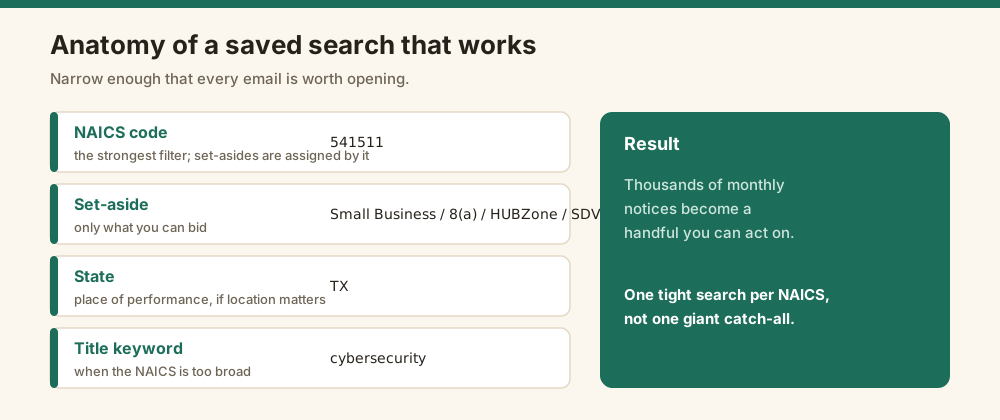
A good saved search is narrow enough that every email is worth opening. Combine a NAICS code with a set-aside you qualify for, a place-of-performance state if location matters, and a keyword in the title. One broad search by agency alone will bury you; a NAICS plus a small-business set-aside plus a state turns thousands of monthly notices into a handful you can act on.
Start with your NAICS code. It is the single strongest filter, because federal small-business set-asides are assigned by NAICS, and each code carries its own SBA size standard.
Then add the set-aside you can bid: Small Business, 8(a), HUBZone, SDVOSB, or WOSB.
From there, two more filters sharpen it. A place-of-performance state if you only work regionally, and a keyword in the title to catch the specific thing you do when a NAICS code is too broad.
Notice type matters too. If you only want things you can still bid, filter to solicitations and combined synopses, and leave out award notices and sources-sought unless you want the early signal. A sources-sought notice is not a bid yet, but it tells you a buy is coming.
The failure mode is noise. Veteran BD people warn that broad alerts get buried in your inbox, so you miss the ones that mattered, as the GovCon Chamber guide puts it. One tight search per NAICS code beats one giant search every time.
Run a separate saved search for each NAICS code you hold. It feels like more work. It means every alert is relevant.
How do you monitor SAM.gov without an account or the daily login?
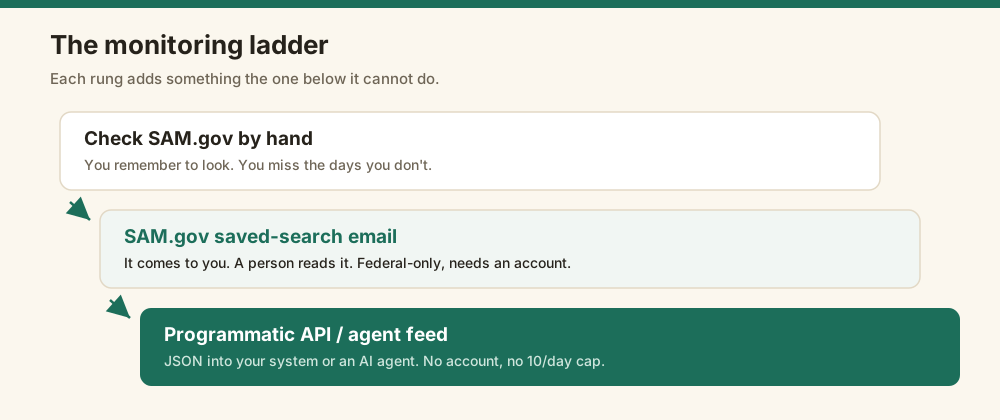
You let a service poll SAM.gov for you and push the matches out. This is the path when you do not want a SAM.gov account, when email digests get lost, or when a human is not the right destination. A normalized alert service holds the SAM.gov key, polls on your behalf, and emails or posts only new notices that match your filter. You skip the account, the key, and the daily login.
This is where SAM.gov's own API has friction. Going programmatic on the raw API means a key that takes time to issue and a personal cap near 10 requests a day, which a real monitor blows through fast.
Edgrapi absorbs that. Its opportunity alerts let you save one search free, then it polls SAM.gov daily with its own key and emails you only new notices, deadline first. No SAM.gov account, no key wait, no daily cap, and the poll is not billed to your credits.
Why skip the account at all? Some people do not want to register an entity or manage another federal login just to watch a feed. Others want the alert to land in a shared inbox or a channel the whole team sees, not one person's SAM.gov profile.
Be honest about the trade: this is a daily poll, so a notice can be up to a day old when the email lands. It is not realtime, because SAM.gov itself is not realtime. For a 15-day response window, a day is noise; for a 5-day one, set the alert and check the source too.
How do you track opportunities by NAICS in your own system or an AI agent?
You call the opportunities as JSON and route them wherever you want. When the destination is a dashboard, a Slack channel, a CRM, or an AI agent rather than a human inbox, you need the data, not an email. A normalized API returns each notice as flat JSON, so you filter by NAICS, set-aside, and state in your own code and do anything with the result.
Here is a filtered call against edgrapi.
GET https://api.edgrapi.com/v1/opportunities?naics=541511&set_aside=SBA
Authorization: Bearer YOUR_KEY

{
  "scope": "federal contract opportunities (SAM.gov)",
  "count": 20, "total": 82,
  "opportunities": [
    {
      "notice_id": "...", "title": "...",
      "naics_code": "541511", "set_aside": "Total Small Business",
      "response_deadline": "2026-10-15",
      "place_of_performance": {"state": "VA"},
      "ui_link": "https://sam.gov/opp/..."
    }
  ]
}
The agent version skips the code. Edgrapi runs a Model Context Protocol server, so an assistant like Claude can call the opportunities tool directly and answer "any new small-business software contracts this week" from live data.
That is the real line between the free portal and the API: the portal sends a person an email, the API feeds a system. Pick by who, or what, is on the receiving end.
One more thing the JSON buys you: your own dedupe. A notice gets amended and reposts, and if you key on the notice id you alert once, not every time the agency tweaks a line. That is hard to control inside a portal email and trivial in your own code.
What are the most common SAM.gov monitoring mistakes?
The biggest mistakes are watching too broadly, leaning on one catch-all saved search, and ignoring the response deadline until it is too late. A broad alert buries the one notice that mattered. A single giant search mixes unrelated work into noise. And a notice you read three days late is a notice you cannot bid. Tight filters and a deadline-first view fix all three.
Watching too broadly is the usual killer. An alert by agency alone, or a one-word keyword, fires on everything and trains you to ignore it.
The fix is one tight search per NAICS code, with a set-aside and a state when they apply.
A quieter mistake is deadline blindness. Sort or lead by the response deadline, not the posted date, so the clock is the first thing you see.
And do not set and forget. Your NAICS codes and set-aside eligibility change as your business grows, so revisit the filters a couple of times a year or you will miss work you now qualify for.
Which monitoring option is right for you?
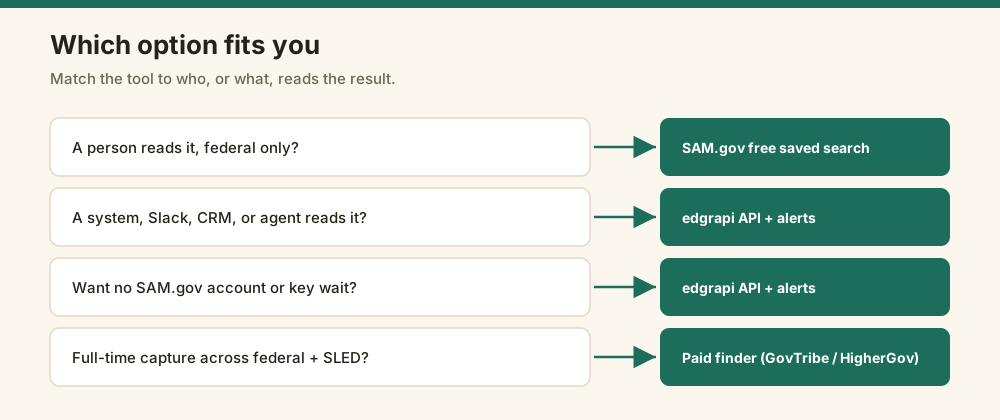
Match the tool to the destination and the budget. If a person reads the result, SAM.gov's free saved search wins. If a system or an agent consumes it, or you want no SAM.gov account, use a normalized API or alert service. If a full-time team runs capture across markets, a paid finder earns its price. They all watch the same source, so this is about packaging, not access.
Here is the honest field.
| Approach | What it is | Cost | Best for |
|---|---|---|---|
| SAM.gov saved search + email | Official free portal alerts, account required, federal only | Free | A solo BD who just wants an email |
| edgrapi opportunity alerts + API | JSON + agent + no-account email, we absorb the key and cap | Free to start, metered | Devs, agents, in-system routing, combined data |
| GovTribe / HigherGov / GovWin | Search plus capture intelligence, SLED coverage, alerts | ~$1,350-$25,000/yr | Full-time capture teams |
| Apify scraper alert services | Daily NAICS-matched digest, no SLA | Pay per run | One-off or throwaway pulls |
None of these is a trick, and none wins every case. SAM.gov's free alert is genuinely enough for a lot of solo contractors, and I would not sell anyone a tool they do not need.
Paid finders like GovTribe are the move when contracting is your full-time job. They add state and local coverage, awardee intelligence, and capture pipelines that a raw feed does not.
Edgrapi's lane is narrower: the feed as JSON, an agent tool, and a no-account email, on one key that also pulls awards, grants, and SEC data. It is for builders and BD teams who want the signal in their own stack, not a seat in another platform.
What does it cost to monitor federal contracts?
Monitoring can be free or five figures, depending on who consumes it. SAM.gov saved-search email alerts cost nothing beyond a free account. A normalized API or alert service is free to start and then metered, which suits a developer or a small BD team. Full capture platforms run from about $1,350 a year to $25,000 or more, which only makes sense for teams pursuing contracts full-time across federal and state markets.
The mistake I see most is overbuying. A solo contractor signs a $5,000 platform to read alerts they could have gotten free from SAM.gov.
The opposite mistake is scraping. Someone spends a weekend building a SAM.gov scraper around the 10-a-day key cap to save a few dollars, then maintains it forever.
The honest middle is a metered API. You pay for what you poll, it needs no entity registration, and when the volume grows you are already on something that scales instead of a scraper you babysit. For a small team, that usually costs less than a single hour of the engineering time a home-grown monitor eats every month.
Start free. Add a programmatic feed only when a system or an agent needs the data. Pay for a platform only when capture is a full-time job, per the pricing ranges in fed-spend's GovTribe breakdown.
Set up one alert today, then upgrade only when you outgrow it
The best way to monitor SAM.gov contract opportunities is the smallest one that reaches you reliably. If a person reads it, start with a free SAM.gov saved search today. If a system or an agent reads it, set up a free opportunity alert on edgrapi and route the JSON wherever you need it. Either way, get one tight NAICS-plus-set-aside filter live before the next solicitation you want posts without you.
Frequently asked questions
How do I get email alerts for new SAM.gov opportunities?
Create a free SAM.gov account, run a Contract Opportunities search with your filters, save it, and enable email notifications. SAM.gov then emails you a daily or weekly digest when new matching solicitations post. For alerts without a SAM.gov account, a service like edgrapi polls SAM.gov for you and emails only new matches, deadline first.
Does SAM.gov have saved searches and alerts?
Yes. SAM.gov has free saved searches with email notifications. You filter by NAICS code, set-aside, agency, and type, save the search, and turn on alerts, and it emails you when new opportunities match. The limits: it needs a free SAM.gov account, and it covers federal opportunities only, not state, local, or subcontracting work.
How do I monitor federal contracts without a SAM.gov account?
Use a service that holds the SAM.gov key and polls on your behalf. Edgrapi's opportunity alerts let you save a search filter and get an email when new matching notices post, with no SAM.gov account, no API key wait, and no daily request cap. It polls once a day, so a notice can be up to a day old when the email arrives.
How do I track contract opportunities by NAICS code?
Filter by the NAICS code, since federal small-business set-asides are assigned by NAICS. On SAM.gov, add the NAICS filter to a saved search. Programmatically, call an opportunities API with a NAICS parameter, for example edgrapi's /v1/opportunities?naics=541511, and it returns only matching notices as JSON for your own system to process.
Can I get SAM.gov opportunities as JSON or in an AI agent?
Yes. SAM.gov's own API returns opportunities as JSON but needs a key and caps a personal key near 10 requests a day. Edgrapi returns them as normalized JSON on one key and runs a Model Context Protocol server, so an AI assistant like Claude can call the opportunities tool directly and monitor for new matching contracts inside a conversation.
Is there a free way to monitor government contracts?
Yes. SAM.gov saved-search email alerts are free with an account and are enough for many solo contractors chasing federal prime work. Edgrapi also offers one free saved search with email alerts and a free tier on its API. Paid finders like GovTribe or HigherGov add state and local coverage and capture intelligence, from about $1,350 a year up.